Key takeaways
- Residential handles video calls, cloud apps and client VPNs that support NAT traversal. Most remote employees never need more.
- Local Priority is the plan for a public IPv4: remote desktop into your home, a self-hosted server, or a site-to-site VPN. Starlink does not offer static IPs; addresses can change (relocation, software updates, network changes).
- Residential lines are capped at 1,200 sessions at once. Starlink recommends heavy VoIP/video users consider a Priority plan, which has a public IP and no CGNAT session limit.
- Starlink says that on December 1, 2026 Local Priority becomes “Business” and Global Priority becomes “Global Business”, with new pricing on the first invoice on or after that date.
- Priority plans don’t earn the referral reward. Only Residential and Roam orders placed on starlink.com through a referral link do.
On this page
- What Local Priority adds, in home-office terms
- Case 1: something must reach your home from outside
- Case 2: heavy calling hits the session cap
- Case 3: your employer wants a written uptime promise
- What Residential already handles
- The cost and data gap
- Questions to ask IT before you choose
- What we don’t know
- Which to order
- Questions people ask
- Sources
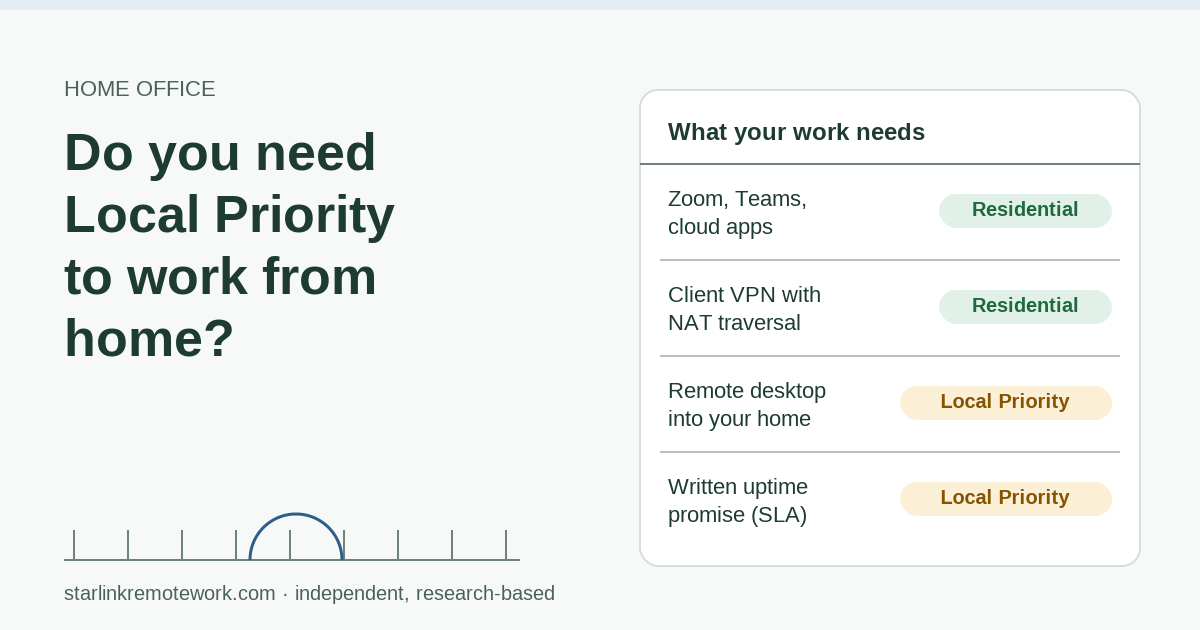
Most people who work from home on Starlink don’t need Local Priority. A Residential plan carries video calls, cloud apps and client VPNs that support NAT traversal. Local Priority earns its higher price in three cases: something on the internet must connect into your home (that needs a public IPv4), heavy calling runs into the CGNAT session cap, or your employer wants an uptime commitment in writing.
If fiber or cable reaches your address, none of this matters much: take the wired line for work and keep satellite as a backup at most. The rest of this guide is for homes where Starlink is the main line and the question is which kind of Starlink plan.
One date to know before you choose: Starlink says that on December 1, 2026 Local Priority becomes “Business” and Global Priority becomes “Global Business”, with new pricing on the first invoice on or after that date. We note below where that touches the numbers.
What Local Priority adds, in home-office terms
Starlink describes the Priority plans this way: Local/Global Priority include prioritized network access, public IP, in-motion use to 100 mph, telemetry dashboard and priority support. Here is what that means next to Residential, for someone working from a home office.
| What your work needs | Residential | Local Priority |
|---|---|---|
| A public IPv4 address | Not offered: Residential IPv4 is behind CGNAT | Opt-in; not static |
| Inbound connections (remote desktop, hosting) | Blocked over IPv4; use IPv6 or a tunnel | Possible with a public IP and your own router |
| Concurrent sessions | Capped at 1,200 sessions | Starlink says Priority with a public IP has no CGNAT session cap |
| Network priority | Max is the top Residential tier | Precedence over Residential and Roam |
| Uptime promise | None | 99.9% SLA, 20% bill credit if missed |
| Data | Unlimited | A monthly priority-data allowance by plan size |
| Referral reward for a new customer | Eligible when ordered through a referral link | Not eligible |
The first three rows are the real dividing line. Priority helps at busy hours, and the SLA is a nice line in a contract, but neither fixes the problems that usually freeze calls: obstructions, Wi-Fi in the next room, and outages.
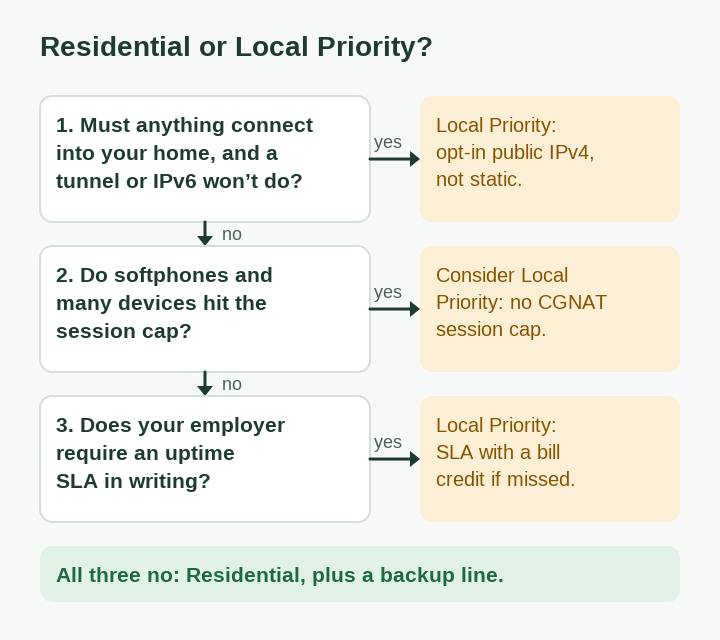
Case 1: something must reach your home from outside
This is the clearest reason to pay for Priority. On Residential, The default CGNAT policy blocks all inbound connections (no inbound ports). That blocks:
- Remote desktop into a home PC from the office or the road.
- A self-hosted server: a client file portal, a build server, a home lab you reach from outside.
- A site-to-site VPN that your company’s firewall initiates toward your home. Starlink notes: CGNAT drops VPNs relying on IP protocols 47 (GRE), 50 (ESP), 51 (AH) and 115 (L2TP).
Local Priority changes that, with conditions. Public IP is opt-in: in your starlink.com account, edit 'IP Policy', select 'Public IP', save, and reboot the Starlink. Even with a public IP, relocating the Starlink or software updates may change the IPv4 address and IPv6 prefix. You also need your own router, because The Starlink router cannot port forward; you need a third-party router plus a Public IP on your plan.
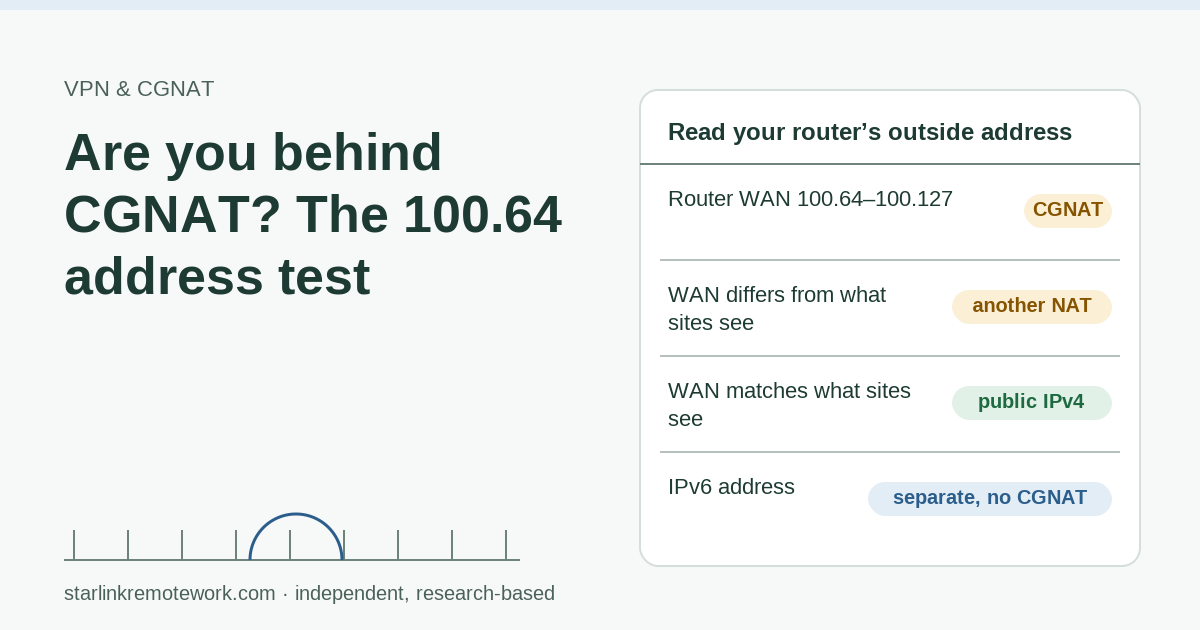
Before you pay for that, check the cheaper route. Native IPv6 is supported on all Starlink routers, kits and plans; IPv6-capable router clients get IPv6 addresses. Many remote-access tools and tunnels (Tailscale, Cloudflare Tunnel, a VPN that connects outward) work on Residential without any inbound port. Our CGNAT, public IP and port forwarding guide walks through those options, and the CGNAT test shows how to confirm what you are behind.
Case 2: heavy calling hits the session cap
Every Residential line shares a limit of 1,200 sessions open connections at once. A normal home office never gets near it. A house that runs a softphone, a call-center client, several video calls, a busy browser and a dozen smart devices at the same time can.
Starlink is direct about the symptoms: Starlink says hitting the session limit can drop VoIP calls, freeze video meetings and cause gaming/VPN issues. And about the fix: Starlink recommends heavy VoIP/video users consider a Priority plan, which has a public IP and no CGNAT session limit.
So if your job is phone or video work all day, with a softphone that opens many connections, Local Priority is worth a look. If you are on a few meetings a day, the cap isn’t your problem; a freeze is more likely an obstruction or Wi-Fi. Our Teams poor network quality guide helps tell them apart.
Case 3: your employer wants a written uptime promise
Some employers and clients ask for a service level agreement on the connection. Residential has none. On Local and Global Priority, Starlink says: 99.9% If it misses, 20% The SLA covers Standard 4, Standard 4 X and Performance kits on Local and Global Priority, not the Mini, and not terminals on data pools.
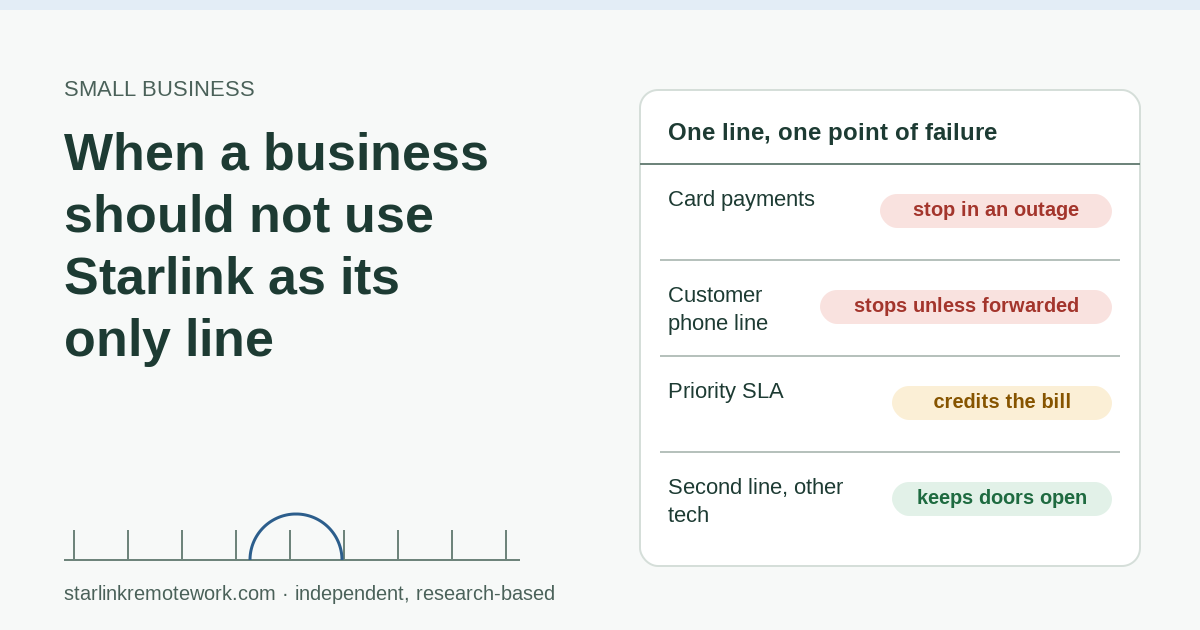
Read that as a business owner would. A bill credit doesn’t put you back online, and it doesn’t pay for a lost client call. If an outage costs more than a month of service, the real protection is a second line on a different technology with automatic switching. The Failover Builder puts one together with dated prices, and when a business shouldn’t run on Starlink alone covers the outage side.
What Residential already handles
The list of things that don’t need Priority is longer than people expect:
- Zoom, Teams, Google Meet and Webex calls. They need a few megabits, not a public IP.
- Client VPNs. Starlink lists the types that generally work behind CGNAT: Client VPN protocols Starlink lists as generally working well with CGNAT: SSTP, OpenVPN, WireGuard. It lists these as generally not working: Client VPN protocols Starlink lists as generally not working well with CGNAT: PPTP and L2TP. Also GRE and IPsec without NAT-T for site-to-site. Ask IT which one you use; our VPN guide has the questions.
- Cloud apps and file sync: email, Slack, Google Workspace, Microsoft 365, cloud storage.
- Outbound remote access through tools that connect out from your machine.
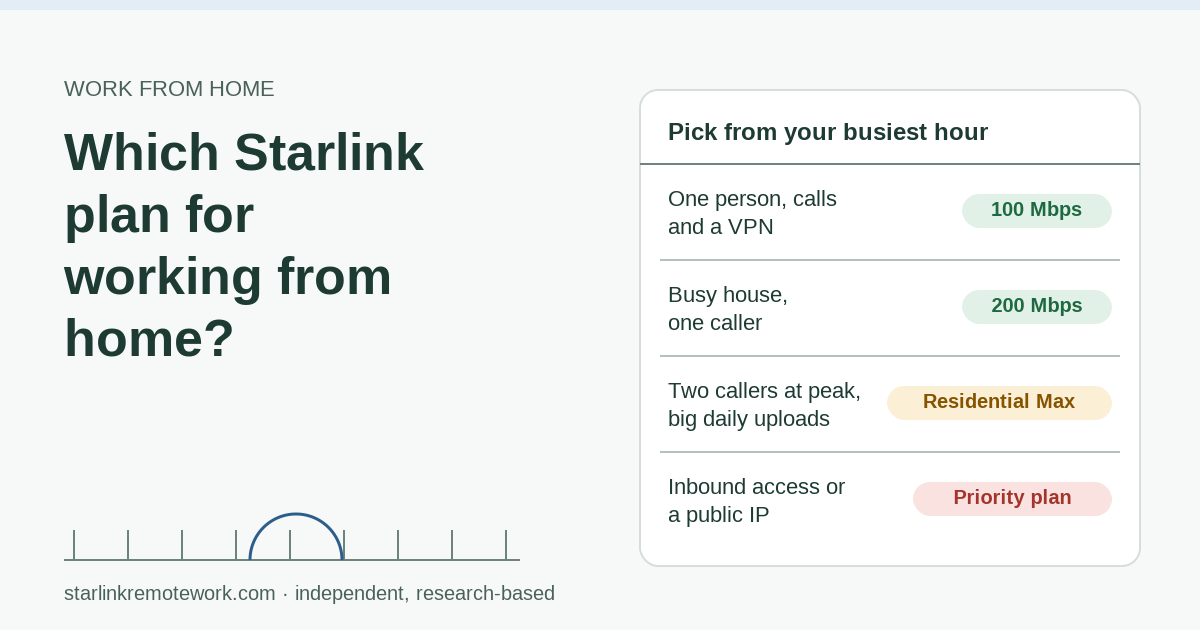
If that covers your workday, Residential is the plan, and the choice is only which tier. Our plan guide for working from home covers 100 Mbps, 200 Mbps and Max for calls and uploads.
The cost and data gap
In Starlink’s pricing data checked Nov 16, 2026, Local Priority started at $55/mo for 50 GB of priority data and $155/mo for 500 GB. Residential, by address, runs $44–$55/mo depending on your address for 100 Mbps up to $104–$156/mo depending on your address for Max, with unlimited data. The Standard kit is $349 on the business order flow. Starlink says new Priority pricing appears on the first invoice on or after December 1, 2026, so treat the Priority figures as pre-December prices.
Data is the part people misjudge. Starlink markets the smallest plan this way: Starlink markets Local Priority 50 GB as best for backup connectivity and small businesses. That fits a standby line. As a main line for a home office it runs out fast: a 1:1 Zoom call in 1080p sends about 3.8 Mbps and receives a little less, which works out to roughly 3 GB an hour. Twenty hours of HD calls would use more than the whole 50 GB allowance. If you go Priority as your main line, size the plan from your real monthly usage, and see how much data a backup plan needs for a workday for the arithmetic.
Questions to ask IT before you choose
Send these to your IT team, or answer them yourself if you are the IT team:
- Does anything need to connect into my home? Remote desktop, a server, a site-to-site VPN. If not, Residential is fine on this point.
- Which VPN protocol do we use, and does it support NAT traversal? WireGuard, OpenVPN and SSTP usually work behind CGNAT.
- Can our tools use IPv6 or an outbound tunnel instead of a public IPv4?
- Do we need an uptime commitment, or a business account and invoice? That can decide the plan on its own. Our employer-paid setup guide covers the account side.
- How many devices and calls run at once at the busiest hour? That is the session-cap question.
What we don’t know
We don’t know the Priority prices Starlink will show after December 1, 2026; we will update this page once the new figures are public. We also can’t tell you how much busier your area gets at peak hours, which decides how much the extra priority is worth to you. And none of the figures here are our own measurements: they come from Starlink’s plan pages and the call apps’ published numbers, each with the date we checked it.
Which to order
- All five answers point to ordinary work: order Residential, pick the tier from your busiest hour, and plan a backup line.
- You need inbound access and a tunnel won’t do: Local Priority, with your own router and dynamic DNS.
- Heavy calling all day, or an SLA requirement: Local Priority, sized to your data use, and still a backup line.
If Residential is your answer and you are new to Starlink, enter your address on starlink.com to see which plans and prices you get; the box below links there. A Priority order doesn’t earn the referral reward, so if you choose Priority, the reward isn’t a reason to pick one plan over the other.
Questions people ask
Can I use Starlink Residential for my remote job?
For most remote employees, yes: calls, cloud apps and client VPNs run on it. Read Starlink’s plan terms if a company owns the account, and see our employer-paid setup guide for the questions to ask.
Does Local Priority give me a static IP?
No. A public IPv4 is optional and only available on Local Priority and Global Priority plans. Starlink does not offer static IPs; addresses can change (relocation, software updates, network changes). Use dynamic DNS if something must find your home.
Will Local Priority make my Zoom calls better?
Sometimes, at busy hours. Local and Global Priority customers get network precedence over customers on Residential (Standard data) and Roam plans. It doesn’t fix obstructions, Wi-Fi trouble or outages, which cause most call freezes.
How much priority data does a home office use?
A 1:1 Zoom call in 1080p sends about 3.8 Mbps and receives a little less, so roughly 3 GB an hour in both directions. A day of HD calls can use a large share of the smallest Local Priority allowance.
What happens to Local Priority on December 1, 2026?
Starlink says that on December 1, 2026 Local Priority becomes “Business” and Global Priority becomes “Global Business”, with new pricing on the first invoice on or after that date.
Does Local Priority qualify for the Starlink referral reward?
No. Starlink’s referral help says accounts on Priority plans, and Business or Enterprise accounts, don’t earn referral rewards. The reward applies to new Residential and Roam customers who order on starlink.com through a referral link.
Sources
- What are Local Priority and Global Priority service plans? (Starlink support), checked Nov 16, 2026
- What are CGNAT session limits and how do they affect my connection? (Starlink support), checked Nov 16, 2026
- What is the Starlink Service Level Agreement? (Starlink support), checked Nov 16, 2026
- IP Address (Starlink support), checked Nov 16, 2026
- Will enterprise site-to-site VPN or SDWAN appliances work on Starlink? (Starlink support), checked Nov 16, 2026
- How do I set my IP address to a public IP? (Starlink support), checked Nov 16, 2026
- What IP address does Starlink provide? (Starlink support), checked Nov 16, 2026
- Can I port forward with the Starlink router? (Starlink support), checked Nov 16, 2026
- Does Starlink work with VPNs? (Starlink support), checked Nov 16, 2026
- Starlink US marketing availability API: Local Priority fixed site (invitationTypeCode=6), checked Nov 16, 2026
- What are the Residential plans? (Starlink support, modified 2026-04-08), checked Nov 16, 2026
- Zoom – system requirements (Windows, macOS, Linux) KB0060748, checked Nov 16, 2026
- What are the differences between Data? (Starlink support), checked Nov 16, 2026
- Starlink help: What are Local Priority and Global Priority service plans?, retrieved Nov 16, 2026
- Starlink help: Does Starlink have a referral program?, retrieved Nov 16, 2026
- Starlink help: What is the Starlink Service Level Agreement?, retrieved Nov 16, 2026
Research-based: written from vendor documentation, Starlink support pages and standards, not from our own measurements. Starlink rules and prices on this page come from our dated fact file and show the day they were checked; they change, so confirm before you rely on one.Links to Starlink’s plan pages here use the site owner’s own referral link; the owner may get a referral reward and your price is the same. No affiliate links (how we make money). General information, not professional IT, legal or medical advice. Independent · not affiliated with SpaceX or Starlink. Spotted an error? Tell us.