Key takeaways
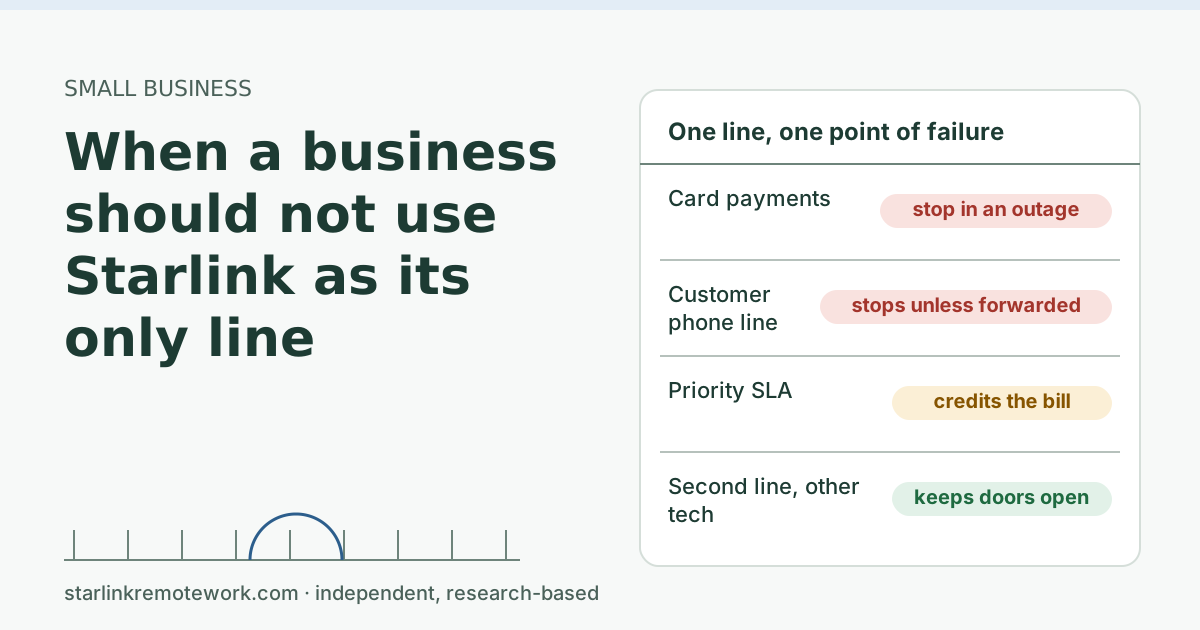
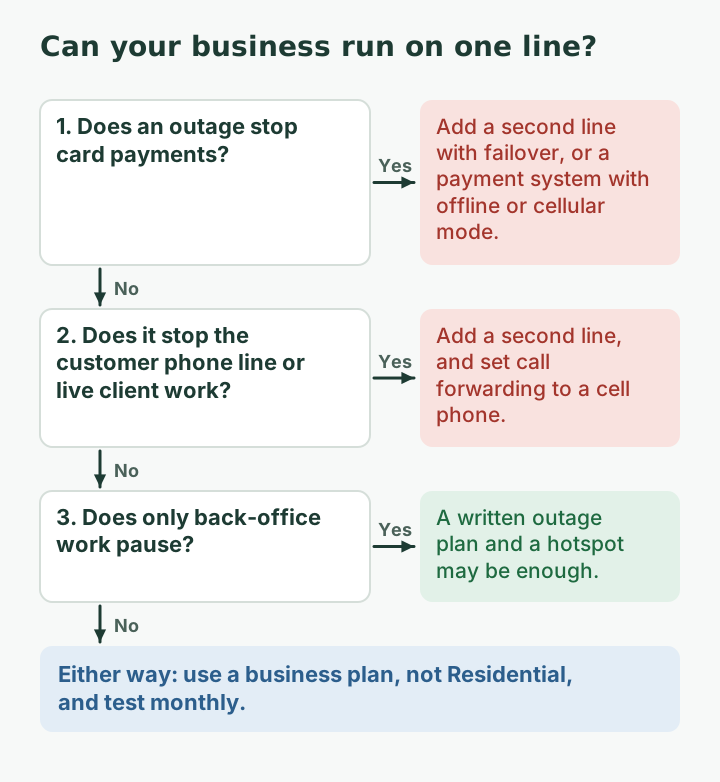
- Don’t run a business on Starlink alone if an outage stops you taking payments, answering the customer phone line, or serving clients on live video, and you have no fallback.
- Residential plans aren’t for business use under Starlink’s terms. Priority plans add network priority, a public IP option, support and an uptime SLA.
- The Priority SLA promises 99.9% network availability per billing month, with a credit of 20% of the line’s base cost if missed. A credit refunds part of the bill, not your lost sales.
- A second line on a different technology (cellular, fixed wireless, DSL, cable) with automatic failover is what keeps the doors open. Two Starlink dishes share too many failure causes.
On this page
- The quick test: what stops when the line stops?
- First, the plan question
- What the SLA does and doesn’t do
- A worked example: what an outage costs
- What a good second line looks like
- Questions to ask your other providers
- A one-page outage plan for staff
- Who can reasonably run on Starlink alone
- Common mistakes
- What we don’t know
- What to do next
- Questions people ask
- Sources
A business should not run on Starlink as its only internet line if an outage would stop it taking payments, answering its customer phone line, or serving clients on live video, and it has no fallback for those things. Starlink can be a good main line for a rural shop or office. The risk is the single point of failure: when the one line is down, everything that depends on it is down. A second line on a different technology, with automatic failover, is usually the fix, and it often costs less per month than one bad afternoon.
The quick test: what stops when the line stops?
List what your business does online, and mark each item by what happens in a one-hour outage. Be specific; “email is slow” is not the same as “we can’t take money.”
| Function | One-hour outage on a single line | Severity |
|---|---|---|
| Card payments (cloud POS or internet terminals) | Can’t take cards unless there’s an offline or cellular mode | High |
| Customer phone line on VoIP | Calls fail or go to voicemail, unless forwarded | High |
| Client video calls, telehealth, remote services | Session drops; client waits or leaves | High |
| Online orders and booking sync | Orders queue or double-book until sync returns | Medium |
| Cloud accounting, email, file sharing | Work pauses; catch up later | Low to medium |
| Security cameras uploading to the cloud | Gap in recordings | Depends |
If any row is High for you, don’t rely on one line. If everything is Low or Medium, a written outage plan and a phone hotspot may do.
First, the plan question
Before redundancy, make sure the plan fits. Starlink’s service terms say: Starlink's terms say Residential plans are not permitted for business or enterprise uses. The plans built for business are Local Priority and Global Priority. Starlink says: Local/Global Priority include prioritized network access, public IP, in-motion use to 100 mph, telemetry dashboard and priority support. Also, Priority data gets network precedence over Residential and Roam data.
Priority plans are sold by data amount. After the Priority data block runs out (and no top-up), speeds drop to e.g. up to 1 Mbps down / 0.5 Mbps up. For a business, running out of priority data mid-month is its own kind of outage, so size the plan with headroom. Our Starlink for business guide covers plan choice and dated prices.
What the SLA does and doesn’t do
Priority plans come with a service-level agreement:
- 99.9% network availability per billing month is the commitment, with outages of 60 seconds or more counted.
- If it is missed, Starlink credits 20% of the service line’s base cost for that month.
- The Priority SLA does not apply to Mini kits, Data Pools, Impact Plans or Bonded Gateways.
That is a meaningful commitment, but read it as a business owner: a credit refunds part of your internet bill. It doesn’t refund the sales you couldn’t ring up or the client who left a frozen video call. And 99.9% still allows outages. In a 30-day month, 0.1% is about 43 minutes. If those 43 minutes land at your busiest hour, the credit won’t cover it.
A real example of a wide outage: on July 24, 2025, a global Starlink outage lasted about 2.5 h, according to Light Reading. Starlink's VP of Engineering Michael Nicolls blamed failure of key internal software services that run the core network. A second line on a different network would have kept a business running through it.
A worked example: what an outage costs
This is illustrative arithmetic; use your own numbers.
A shop takes most payments by card on a cloud point-of-sale system. On a typical Saturday it takes in about 1,800 dollars between 10 am and 2 pm, so about 450 dollars an hour. Customers who can’t pay by card often leave rather than wait. A two-hour outage at noon could cost a large part of 900 dollars in sales, plus goodwill.
Now compare that with a backup line: a business cellular router (Peplink MAX BR1 Mini 5G in our price file, $599–$649 one-time) or a dual-WAN router plus a cellular router, on a business backup plan (Verizon Business Backup in our file: $20–$30/mo). One prevented outage on a busy day can pay for the hardware. Starlink also markets its smallest Priority plan for this role: Starlink markets Local Priority 50 GB as best for backup connectivity and small businesses. ($55/mo), which is useful if your main line is wired.
Prices are from our dated file (checked Oct 5, 2026) and change; confirm before buying.
What a good second line looks like
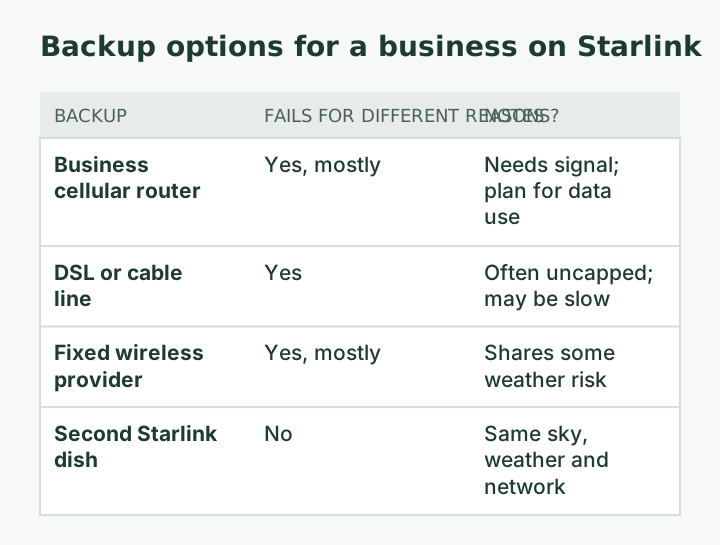
- A different technology. Cellular, DSL, cable or fixed wireless. It should not share Starlink’s sky view, weather sensitivity or network.
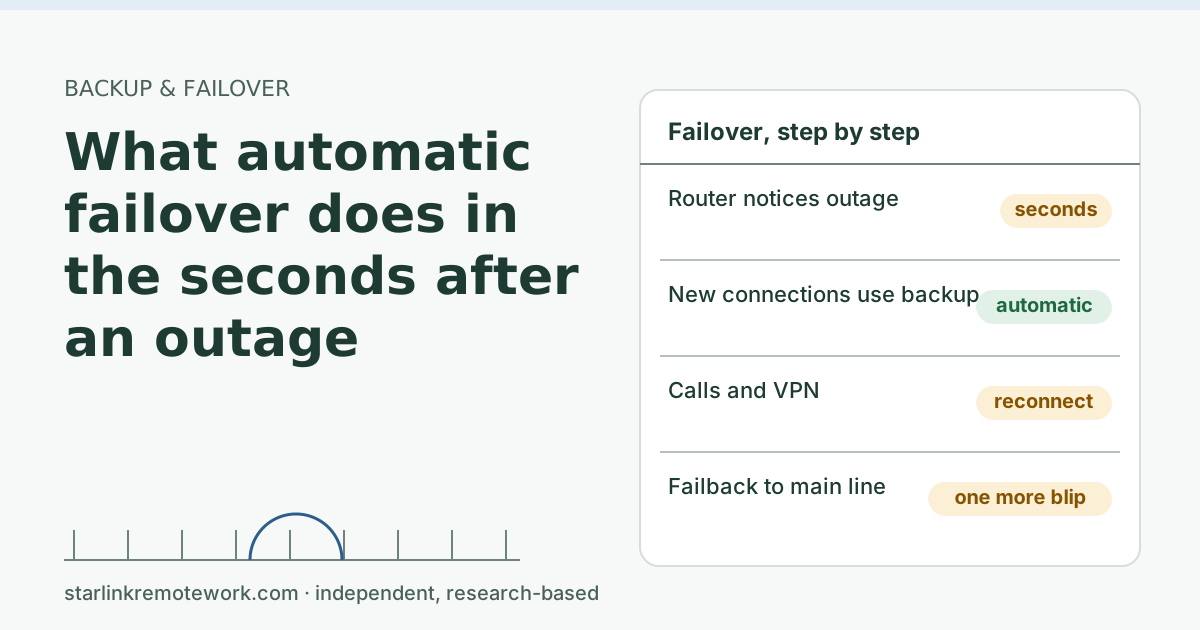
- Automatic failover. A dual-WAN router so the switch happens without staff noticing. Read what failover does in the first seconds: card terminals and phones may need to reconnect, but they come back on their own.
- The important devices on the backup. Payment terminals, the phone system, the owner’s computer. Keep guest Wi-Fi and streaming off it to protect a metered plan.
- Power for both lines. A backup router on the same outlet as the dish fails in the same power cut. Battery sizing is outside this site’s scope, but plan it.
- A tested phone fallback. Set your VoIP provider to forward calls to a cell phone when the office line is unreachable. Most providers support this; test it.
- A written outage plan for staff: who switches what, how to take payment if everything fails, what to tell customers.
Questions to ask your other providers
Your internet line is only half of it. The systems that ride on it decide how bad an outage is. Ask:
Your payment provider
- Do our terminals have an offline mode? How long can they store payments, and what is the risk if a stored card later declines?
- Can a terminal use a cellular connection on its own?
- What happens to online orders while we’re offline?
Your phone provider
- Can calls forward to a cell phone automatically when our office phones are unreachable? How quickly does that kick in?
- Can staff answer the business number from a mobile app over cellular data?
- What address is registered for 911 on our lines?
Your booking or order system
- Does it work offline and sync later? What happens to double bookings?
Write the answers into your outage plan. Several of these cost nothing to set up and remove most of the pain of a short outage, with or without a second line.
A one-page outage plan for staff
Keep it printed by the register or front desk:
- Check: is it the internet or one system? Try a website on the shop computer and a phone on Wi-Fi.
- Switch: if the backup line didn’t switch on its own, follow the router steps on this sheet.
- Payments: use offline mode (if available) or the backup terminal; post a sign about cash or later payment if not.
- Phones: confirm calls are forwarding to the on-duty cell phone.
- Tell people: a short message to the owner and, if it lasts, a note on the door and social media.
- Log it: start time, end time, what failed. The log helps with the SLA claim on a Priority plan and with deciding whether the backup is sized right.
Who can reasonably run on Starlink alone
- Businesses where a few hours offline means catching up later: a bookkeeper working alone, a design studio with flexible deadlines.
- Seasonal or occasional sites where the cost of a second line exceeds the cost of rare downtime.
- Sites with no other option at all, where the honest plan is “we pause, and we tell customers why.”
If fiber or cable reaches you, take it as the main line and use Starlink or cellular as the backup. That is a common, sensible pattern; see Starlink as the backup line for an office.
Common mistakes
- Running a business on a Residential plan. Starlink’s terms don’t allow it, and Residential has no SLA.
- Treating the SLA as insurance. It is a bill credit.
- A backup that shares the main line’s weak points: same power, same sky, same network.
- Never testing. Unplug the main line once a month at a quiet time and run a test payment and a test call.
What we don’t know
We haven’t run a business on Starlink, and we haven’t tested the routers named here. Payment systems vary in how they behave offline; your payment provider is the authority on yours. Our Work-Day Reliability Report measures one Residential connection, not a business plan, so its numbers once published are context, not a forecast for a Priority line.
What to do next
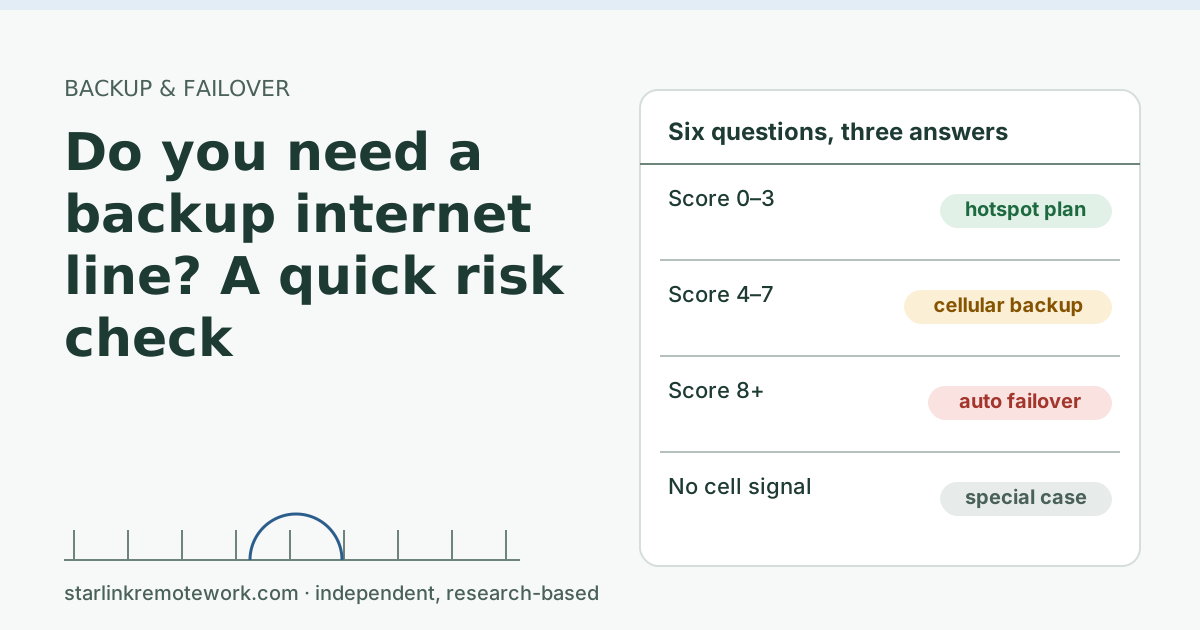
- Score your risk with the backup risk check.
- Build a parts list and monthly cost in the Failover Builder.
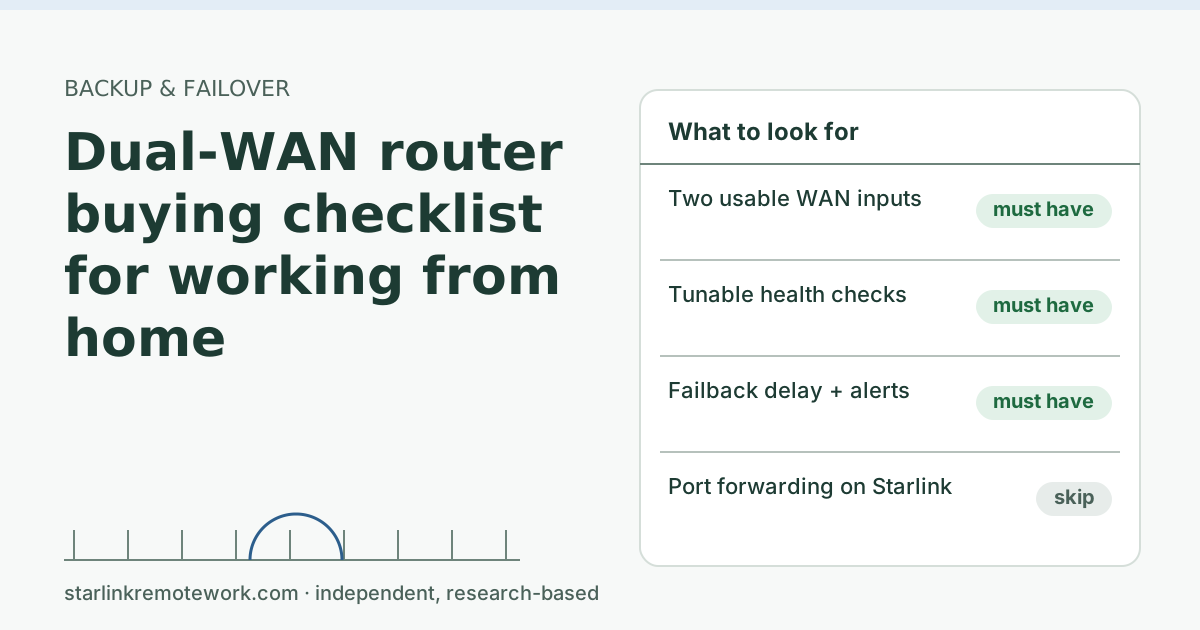
- Compare routers with the dual-WAN router checklist, and see the business hub for plans and job sites.
Questions people ask
Is Starlink reliable enough for a small business?
For many small businesses, yes, as the main line. As the only line, it depends on what stops when it is down. If payments, the customer phone or live client work stop, add a second line on a different technology.
Can I use a Starlink Residential plan for my business?
Starlink’s terms say Residential plans are not permitted for business or enterprise uses. Its Local Priority and Global Priority plans are the ones built for businesses.
Does Starlink have an uptime guarantee for business?
Priority plans carry an SLA of 99.9% network availability per billing month, counting outages of 60 seconds or more, with a credit of 20% of the service line’s base cost if missed. The Priority SLA does not apply to Mini kits, Data Pools, Impact Plans or Bonded Gateways.
What is the best backup internet for a small business on Starlink?
One that fails for different reasons: usually a business cellular router or a wired provider (DSL, cable, fixed wireless), connected through a dual-WAN router that switches automatically.
Can a business take card payments during an internet outage?
Only if its payment system has an offline or cellular mode, or the business has a backup line. Many card terminals and cloud point-of-sale systems need the internet; check your provider’s offline options.
Should a business use two Starlink dishes for redundancy?
Usually not as its only redundancy. Two dishes on one site share the same sky view, weather and network, so they tend to fail together. A different technology is a better backup.
Sources
- Service Plan Descriptions (US, published 2026-10-05), checked Oct 5, 2026
- What are Local Priority and Global Priority service plans? (Starlink support), checked Oct 5, 2026
- Priority Plan Service Level Agreement (US, published 2026-07-14), checked Oct 5, 2026
- Light Reading: Software failure triggers nationwide Starlink outage (secondary), checked Oct 5, 2026
- Starlink US marketing availability API: Local Priority fixed site (invitationTypeCode=6), checked Oct 5, 2026
- The Telecom Spot – Peplink (B One, BR1 Mini 5G) store search (secondary), checked Oct 5, 2026
- Verizon Business Backup & Flexible Use (snippet), checked Oct 5, 2026
- Light Reading: Software failure triggers nationwide Starlink outage, retrieved Oct 6, 2026
Research-based: written from vendor documentation, Starlink support pages and standards, not from our own measurements. Starlink rules and prices on this page come from our dated fact file and show the day they were checked; they change, so confirm before you rely on one.Links to Starlink’s plan pages here use the site owner’s own referral link; the owner may get a referral reward and your price is the same. No affiliate links (how we make money). General information, not professional IT, legal or medical advice. Independent · not affiliated with SpaceX or Starlink. Spotted an error? Tell us.