Key takeaways
- Ask what an hour offline costs you, how often you are on live calls, whether your phone gets a usable signal at your desk, and how often the power goes out.
- If a two-minute switch to your phone hotspot is acceptable and your phone has signal, a written plan plus a hotspot is usually enough.
- If you are on customer-facing calls most of the day, or your employer expects you online, a backup line with automatic failover is worth pricing.
- If there is no cell signal at your house, cellular backup won’t work there. Your options shrink to a second wired or wireless provider, or a place to go.
- Even 99% uptime is about 25 hours offline across a year of ten-hour workdays. The question is whether those hours land on calls that matter.
On this page
You need a backup internet line if an hour offline during work costs you real money or real trust, and you can’t simply move to your phone’s hotspot within a couple of minutes. If your phone gets a usable signal at your desk and you are not on live calls most of the day, a written plan plus a phone hotspot is usually enough. If you are on customer-facing calls all day, share the connection with another remote worker, or your employer expects you to stay online, price a cellular backup line with automatic failover. And if your house has no cell signal at all, cellular backup is off the table there, which changes the answer.
The six-question risk check
Answer each question and add up the points. Be honest; the point is to spend money only where it buys something.
| # | Question | 0 points | 1 point | 2 points |
|---|---|---|---|---|
| 1 | What does one hour offline during work cost you? | Nothing much; I catch up later | An awkward apology or a moved meeting | Lost income, a missed client, or trouble with my employer |
| 2 | How much of your day is live calls or live systems? | Rarely | A few calls a day | Most of the day, or customer-facing |
| 3 | How many people work from the house at once? | Just me, part-time | Just me, full-time | Two or more |
| 4 | Does your phone get usable data at your desk? | Yes, strong | Weak or one carrier only | No signal |
| 5 | How often does the power go out? | Rarely | A few times a year | Monthly or more |
| 6 | Is there somewhere close you could work from? | Yes, 10 minutes away | 30 minutes away | No |
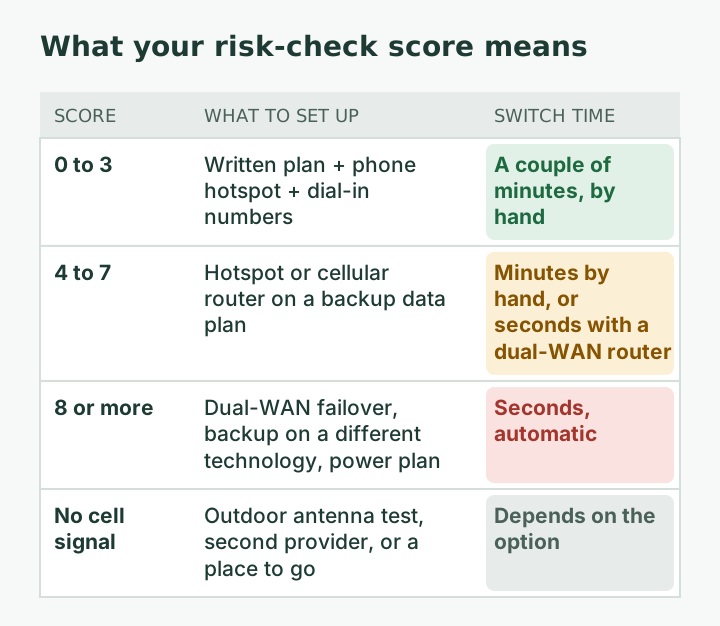
How to read your score:
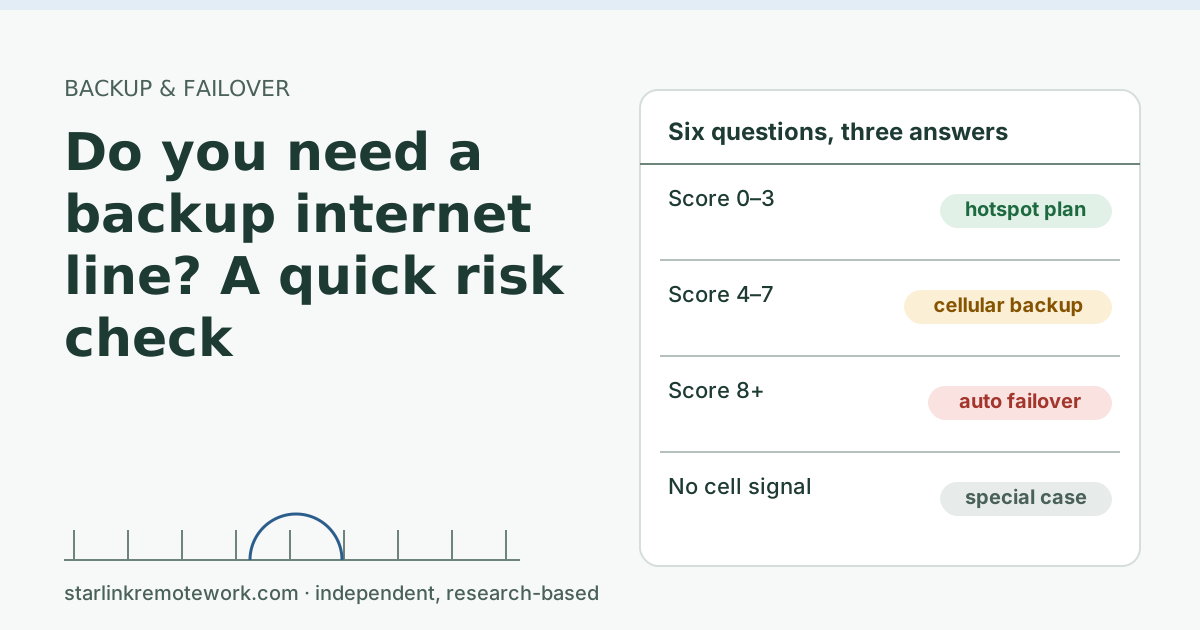
- 0 to 3: a hotspot plan is enough. Write down how to switch, test your hotspot once, and keep meeting dial-in numbers handy.
- 4 to 7: a cellular backup line is worth pricing. A hotspot or cellular router on a backup data plan, possibly with a dual-WAN router so the switch happens without you.
- 8 or more: treat backup as essential. Automatic failover, a backup on a different technology from your main line, and a power plan for both.
Special case: if you answered “No signal” to question 4, cellular backup won’t work at your house without an outdoor antenna (and maybe not with one). Skip ahead to “When there’s no cell signal.”
Three example households
These are made-up profiles to show how the scoring works, not real readers.
A writer who emails drafts. One hour offline costs nothing much (0). A couple of editor calls a week (0). Works alone, full-time (1). Strong phone signal at the desk (0). Power cuts a few times a year (1). Library ten minutes away (0). Score: 2. A hotspot plan is enough. The writer’s best move is to test the hotspot once and save the editor’s phone number.
A support agent on calls all day. An hour offline means missed shifts and a warning from the employer (2). Customer-facing calls most of the day (2). Works alone (1). Weak signal from one carrier (1). Power cuts a few times a year (1). Nearest coworking space is 30 minutes away (1). Score: 8. Automatic failover is essential, with the backup on a different technology and an outdoor antenna test for the weak signal. This person should also ask the employer whether a backup line is required or reimbursed.
Two remote workers and a teenager. An hour offline means two people lose meetings (2). A few calls a day each (1). Two people working at once (2). Good signal (0). Rare power cuts (0). Somewhere to go 10 minutes away (0). Score: 5. A cellular backup line is worth pricing, sized for two people’s calls, with streaming kept off it. Our guide to two remote workers on one Starlink covers the household side.
Notice how much question 1 drives the result. If you are unsure what an outage costs you, ask your manager directly: “If my internet goes down for an hour, what do you need from me?”
Why “rare outages” still add up
People often skip a backup because outages feel rare. A little arithmetic helps. These are generic numbers, not Starlink’s:
| Uptime during work hours | Offline time in a year of 250 ten-hour workdays |
|---|---|
| 99% | About 25 hours |
| 99.5% | About 12.5 hours |
| 99.9% | About 2.5 hours |
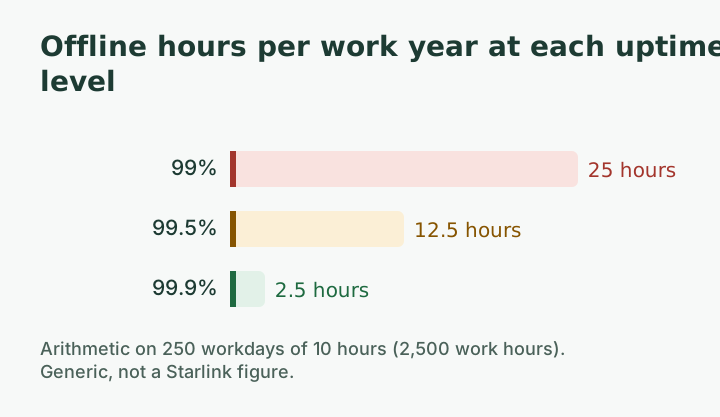
A year of ten-hour workdays is 2,500 work hours. One percent of that is 25 hours. For comparison, Starlink’s Priority business plans carry a service-level agreement of 99.9% network availability per billing month, with credits if missed; Residential plans don’t carry that SLA. A real-world reminder: a global Starlink outage on July 24, 2025 lasted about 2.5 h, according to Light Reading. One event like that during a client presentation is the case for a backup.
The other half of the math is where the minutes land. Ten one-minute drops spread across a day might each wreck a call; one ten-minute outage at 6 am costs nothing. That is why the Work-Day Reliability Report counts outages during work hours specifically, once it has logged data.
What each answer level looks like in practice
Level 1: the hotspot plan
- Turn on your phone’s hotspot once now, to confirm your plan allows it and you know the password.
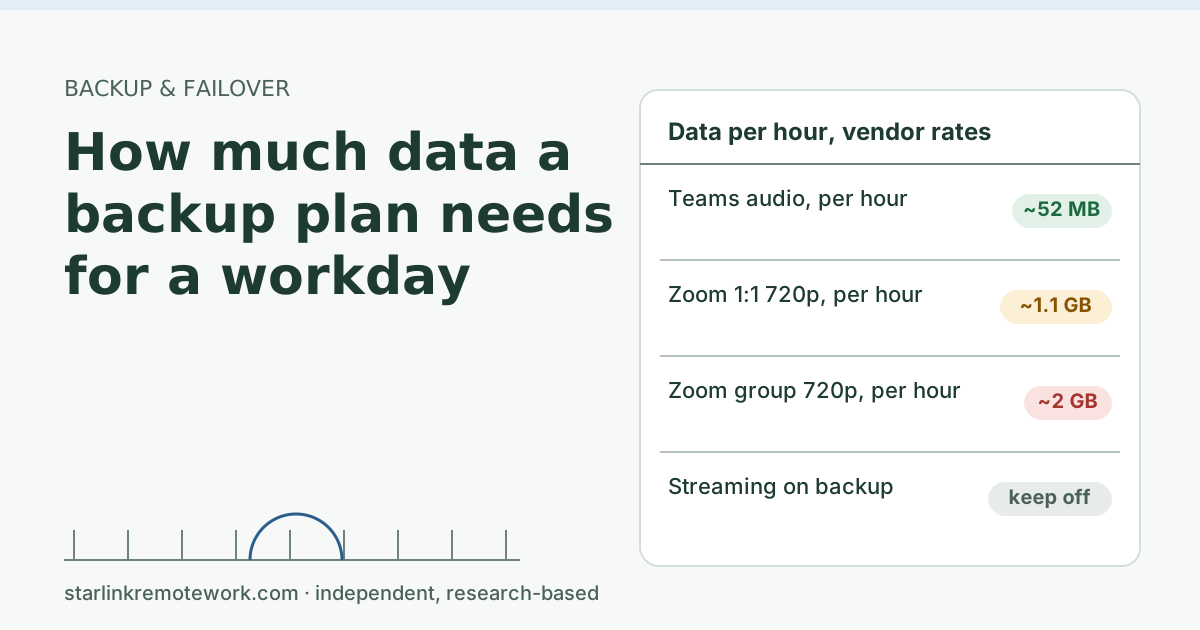
- Check how much hotspot data your plan includes. A one-hour video call uses a lot more data than email.
- Save meeting dial-in numbers, and tell your manager what you will do in an outage.
- Cost: often nothing extra. Weakness: manual, and your phone is busy being a router.
Level 2: a cellular backup line
A dedicated hotspot or cellular router on its own data plan keeps your phone free and can feed a dual-WAN router. Examples from our dated price file:
| Backup option | What you get | Monthly price (checked Oct 5, 2026) |
|---|---|---|
| T-Mobile Home Internet Backup | Cellular gateway; 100 hours a month plus three 100-hour backup passes a year | $20/mo |
| Verizon Wi-Fi Backup | Router included; unlimited data in 24-hour sessions you start | $20–$30/mo |
| AT&T prepaid data (hotspot or router) | Data buckets by the gigabyte | $35–$90/mo |
| 5G hotspot hardware | Carrier-branded hotspot to pair with a data plan | $129.99–$349.99 one-time |
Prices depend on AutoPay and other lines on the account; check the carrier before buying. The Failover Builder puts these together with a router into one parts list.
Level 3: automatic failover
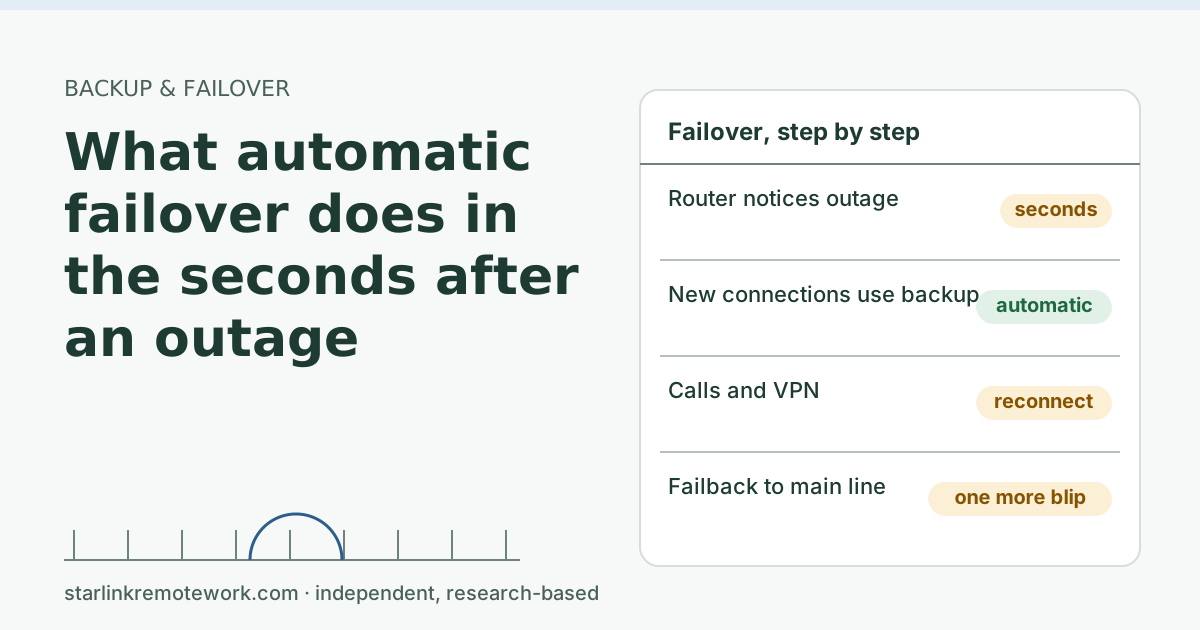
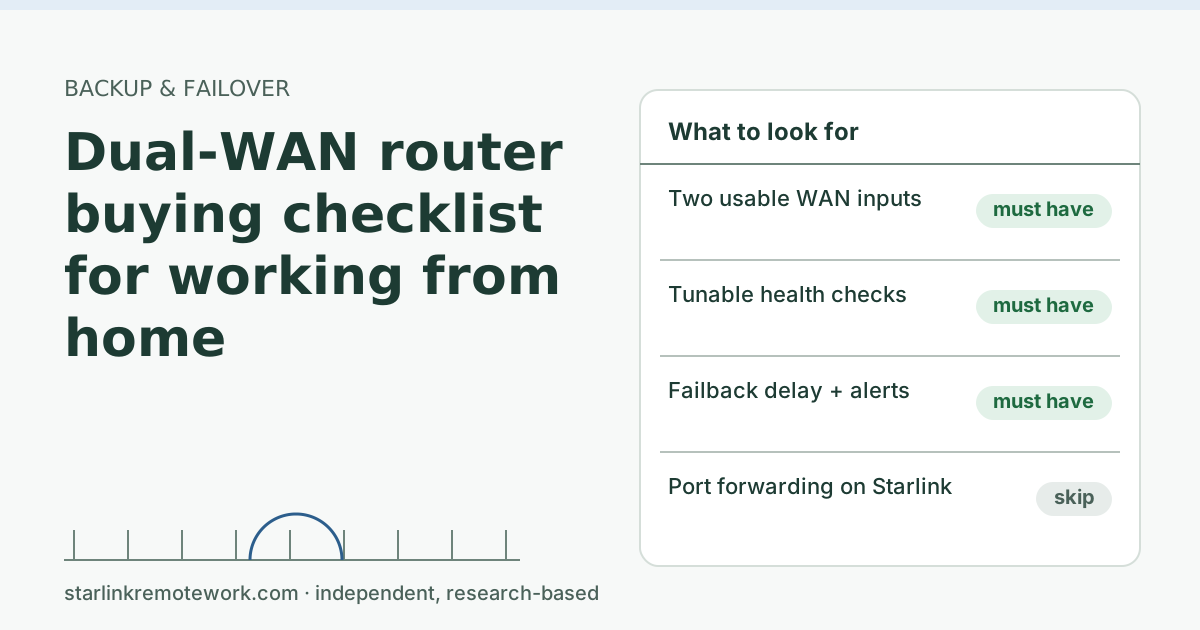
Add a dual-WAN router so the switch happens in seconds without you: budget models start around $49.99–$59.99. Read what failover does in the first seconds to set expectations: calls and VPNs reconnect rather than staying up. Then use the dual-WAN router checklist before you buy.
When there’s no cell signal
This is common at rural Starlink homes, and it changes everything. Your options:
- An outdoor cellular antenna on a cellular router, if there is some signal outside or on the roof. Test with a phone outside first. If there is nothing even outdoors, an antenna probably won’t create it.
- A second wired or fixed wireless provider, if any reaches you. Even slow DSL can carry audio calls and email.
- A place to go: a library, coworking space, or a friend’s house with a different provider. Know the hours and the Wi-Fi rules before you need them.
- Accept the risk and tell your employer plainly what happens in an outage. Some jobs can live with that; customer-facing ones usually can’t.
A second Starlink dish is not a real backup for the first: it shares the same sky view, the same weather and the same network, so it tends to fail at the same time.
Common mistakes
- Buying gear before checking signal. Walk to your desk with your phone and run a speed test on cellular first.
- Backup on the same power strip. If the power goes out, both lines go dark. Power backup is a separate plan (sizing batteries is outside this site’s scope).
- Forgetting the data cap. A backup plan by the gigabyte can run out on day two of an outage if the whole house streams over it. Keep streaming off the backup.
- Never testing. A backup you haven’t tried is a hope, not a plan.
When you don’t need one
If fiber or cable is your main line and you rarely work on live calls, a phone hotspot covers you. If your job can pause for an afternoon without harm, skip the spending and keep a plan. And if you only use Starlink for a cabin or weekends, a backup line is rarely worth paying for every month.
What we don’t know
We don’t know how often your connection will go down: it depends on your dish’s view, local weather and the network. Nobody can give you a reliable single number for that. The report will show one logged connection’s work-hour outages once data exists, which is useful context but not a prediction for your house.
What to do next
- Take the score you got above into the Failover Builder for a parts list and monthly cost.
- If you already have a backup and something is down right now, use the is it down or is it me check.
- For a business, see Starlink as the backup line for an office, and for the bigger picture, is Starlink good for remote work.
Questions people ask
Do I need backup internet if I work from home on Starlink?
It depends on what an outage costs you. If missing a meeting means an awkward apology, a phone hotspot plan is usually enough. If it means lost income or a missed client call, a backup line with automatic failover is worth it.
What is the cheapest backup internet?
Usually your phone’s hotspot, if your plan includes hotspot data and your phone gets signal at your desk. It is manual and slower to switch, but costs little or nothing extra.
Is a phone hotspot good enough as backup internet?
For occasional outages and a single worker, often yes, if you have usable signal and enough hotspot data. It is weaker for all-day calls, for two people working at once, and if the phone is also your work phone.
What if I have no cell signal at home?
Then cellular backup won’t work at your house without an outdoor antenna, and maybe not even then. Look at a second wired or fixed wireless provider, or plan a place to go, such as a library or coworking space.
Does backup internet work during a power outage?
Only if the backup gear has power. A cellular router plugged into the same outlet as your Starlink goes down with it. Power backup is a separate decision from internet backup.
Is a second Starlink a good backup for the first?
Usually not. Two dishes share most of the same weak points: the same sky view, the same weather and the same network. A backup should fail for different reasons than your main line.
Sources
- Priority Plan Service Level Agreement (US, published 2026-07-14), checked Oct 5, 2026
- Light Reading: Software failure triggers nationwide Starlink outage (secondary), checked Oct 5, 2026
- T-Mobile Home Internet Backup support page (snippet), checked Oct 5, 2026
- Droid Life: T-Mobile Home Internet Backup gets a major data upgrade (2026-03-30) (secondary), checked Oct 5, 2026
- Verizon Wi-Fi Backup, checked Oct 5, 2026
- AT&T – Get info about data-only plans (updated 2026-03-02), checked Oct 5, 2026
- Verizon – Internet devices (hotspots), checked Oct 5, 2026
- Search snippet: T-Mobile hotspot device prices (t-mobile.com), checked Oct 5, 2026
- Omada Store – ER605, checked Oct 5, 2026
- Omada ER605 product page, checked Oct 5, 2026
Research-based: written from vendor documentation, Starlink support pages and standards, not from our own measurements. Starlink rules and prices on this page come from our dated fact file and show the day they were checked; they change, so confirm before you rely on one.Links to Starlink’s plan pages here use the site owner’s own referral link; the owner may get a referral reward and your price is the same. No affiliate links (how we make money). General information, not professional IT, legal or medical advice. Independent · not affiliated with SpaceX or Starlink. Spotted an error? Tell us.