Key takeaways
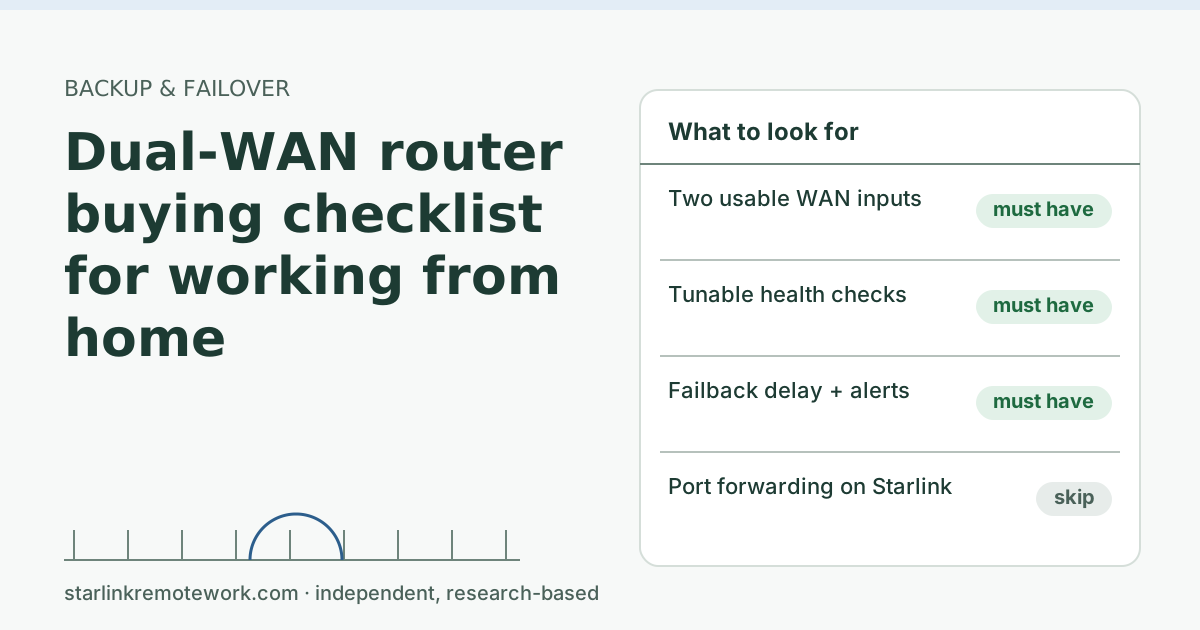
- The must-haves: two usable WAN inputs, health checks you can point and tune, failover mode with a failback delay, and an alert when it switches.
- Decide how the backup connects first: Ethernet from a cellular router, USB tethering from a hotspot, or a built-in modem. That decides half the shortlist.
- From our dated price file: budget dual-WAN routers run $49.99–$59.99, mid-range $99.99–$169.99, and business-grade $359.
- Skip paying for gaming features and port forwarding. Behind Starlink’s CGNAT, port forwarding does nothing for inbound traffic.
- No plain dual-WAN router keeps a live call up through a switch. Only bonding or tunnel services can, and they cost more.
On this page
- Step 1: decide how the backup connects
- Step 2: the must-have checklist
- Step 3: nice-to-haves and what to skip
- Price bands from our file
- Worked example: three ways to build it
- Questions to ask before you buy
- Step 4: fitting it to Starlink
- Common mistakes
- After you buy: the first-day setup checks
- When you don’t need one
- What we don’t know
- What to do next
- Questions people ask
- Sources
For a home office on Starlink, buy a dual-WAN router that has two usable WAN inputs, health checks you can point at a reliable target and tune, failover mode with a delay before switching back, and an alert when it switches. Before comparing models, decide how your backup line will plug in (Ethernet from a cellular router, USB from a hotspot, or a built-in cellular modem), because that rules out half the market. Skip gaming extras and port forwarding: behind Starlink’s carrier-grade NAT they don’t help. Budget wired models start at $49.99–$59.99 in our price file (checked Oct 5, 2026).
Step 1: decide how the backup connects
This is the choice that shapes everything else.
| Backup hardware | How it connects | Router needs | Notes |
|---|---|---|---|
| Cellular router with Ethernet (for example GL.iNet Spitz AX GL-X3000) | Ethernet into WAN 2 | A second Ethernet WAN port | Cleanest setup; the cellular router can sit where signal is best. $379.99–$467 |
| 5G hotspot | USB tethering, or Ethernet if the hotspot has a port | USB WAN support, or a WAN port | Cheaper; check the hotspot’s Ethernet or USB support first. $129.99–$349.99 |
| Router with a built-in cellular modem | SIM card inside the router | Nothing extra | One box, but the router must sit where signal is good |
| A second wired provider (DSL, cable, fixed wireless) | Ethernet into WAN 2 | A second Ethernet WAN port | Best backup if it exists: different technology, often uncapped |
A cellular router placed in the room with the best signal, connected by a long Ethernet cable to the dual-WAN router, often beats a router with a modem stuck in a basement closet.
Step 2: the must-have checklist
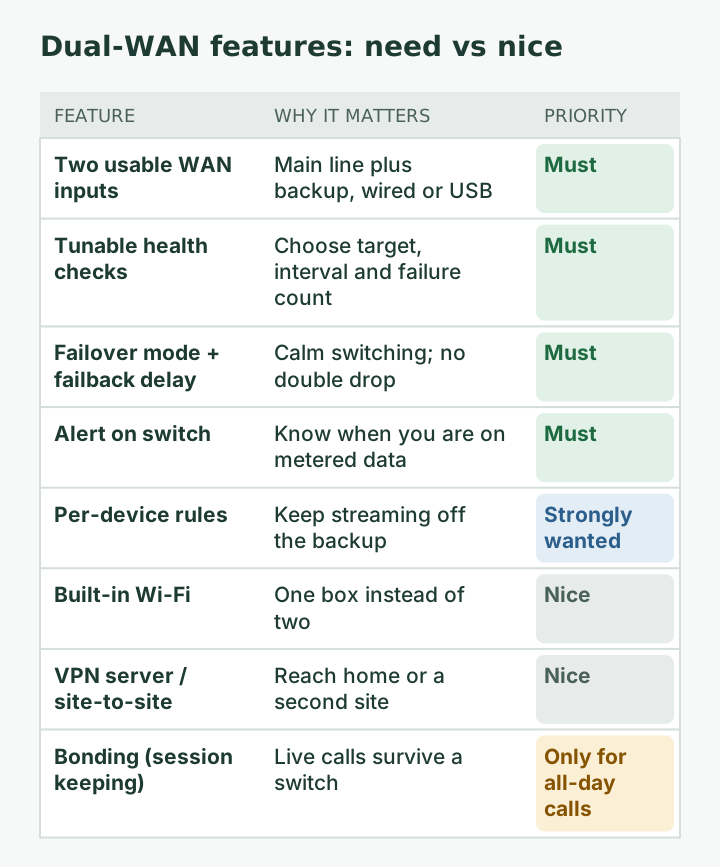
- Two usable WAN inputs. Some routers have one fixed WAN port plus LAN ports that can be switched to WAN. TP-Link describes the ER605 as having “Up to 3 WAN Ethernet Ports,” one dedicated plus two that work as WAN or LAN. Confirm the port count you will actually use.
- Health checks you can point and tune. You want to choose the target (a reliable public address, not the Starlink router, which can answer while the satellite link is down), how often it checks, and how many failures trigger a switch. GL.iNet’s Multi-WAN uses “ping or httping” to track a destination IP with selectable detection modes; TP-Link lists “Online Detection”; Peplink lists “Link Health Check.” Read the manual for how much you can adjust.
- Failover mode, not just load balancing. For calls and VPNs, keep the backup idle until needed. GL.iNet documents both modes and notes that in load balance mode live connections “are not ensured to match the load ratio.”
- Failback control. Automatic switching back is standard (GL.iNet: the router “switches back automatically” when the higher-priority link returns). A delay or “stable for X minutes” option saves you from being knocked off twice when Starlink drops and recovers in quick succession.
- An alert when it switches. Email, app push or a light you can see. If your backup is metered, you need to know when you are on it.
- Per-device rules (nice, close to must-have). The ability to keep a game console or TV off the backup line protects your data cap.
Step 3: nice-to-haves and what to skip
Nice to have:
- Built-in Wi-Fi, if you want one box. Wired-only routers (the ER605 is “a wired gateway without integrated Wi-Fi”) need your existing Wi-Fi to stay in place.
- Cloud or app management, handy for checking from your phone.
- A VPN server or client for reaching home or linking two sites. The ER605 lists IPsec, WireGuard and OpenVPN among its VPN options. Your work laptop’s VPN does not need this.
- Session-keeping (bonding) support, such as Peplink’s SpeedFusion, which Peplink describes as “fault-tolerant high speed Internet access” across combined connections. Worth it only if a 10-second call reconnect is truly costly to you.
Skip:
- Port forwarding as a buying reason. The default CGNAT policy blocks all inbound connections (no inbound ports). Your cellular backup is almost certainly behind carrier NAT too. See our CGNAT guide.
- “Gaming” or “ping reducing” features. They can’t fix a dish-side dropout.
- Speeds far beyond your lines. Multi-gig ports don’t help a line that tops out well below a gigabit.
Price bands from our file
These are the price ranges we recorded for example models, before tax and shipping, checked Oct 5, 2026. They change; confirm before buying.
| Tier | Example models | Price range | Good fit |
|---|---|---|---|
| Budget wired | TP-Link Omada ER605 | $49.99–$59.99 | One worker, Ethernet backup, existing Wi-Fi |
| Mid-range | TP-Link Omada ER707-M2, Ubiquiti UniFi Cloud Gateway Ultra, GL.iNet Flint 2 (Wi-Fi 6) | $99.99–$169.99 | Want Wi-Fi in the box or app management |
| Business-grade | Peplink B One | $359 | All-day customer calls; session-keeping option |
| Business 5G router | Peplink MAX BR1 Mini 5G | $599–$649 | Cellular as the backup, managed remotely |
We list these as examples at each price point, not as reviews. We haven’t tested them on a Starlink line.
Worked example: three ways to build it
Here is how the pieces add up at three levels, using the ranges in our price file (checked Oct 5, 2026). Monthly plan prices depend on AutoPay and other lines; treat them as a starting point.
1. Lowest cost, one worker. A budget wired router ($49.99–$59.99) with WAN 2 fed by a 5G hotspot over Ethernet or USB ($129.99–$349.99), on a backup plan such as Verizon Wi-Fi Backup ($20–$30/mo) or T-Mobile Home Internet Backup ($20/mo). Keep your Starlink router for Wi-Fi. Trade-off: the hotspot’s placement and battery can be fussy.
2. Cleaner, still home-grade. A mid-range router with Wi-Fi built in ($99.99–$169.99) plus a 5G cellular router with external antenna ports ($379.99–$467) placed where signal is best. Same kind of backup plan. Trade-off: higher upfront cost, but fewer moving parts and better signal options.
3. Business-grade, all-day calls. A Peplink B One ($359) with a business 5G router ($599–$649), and a look at SpeedFusion if a call reconnect is unacceptable. Trade-off: cost and complexity, and SpeedFusion adds its own setup.
The Failover Builder does this arithmetic for your answers and shows what each setup doesn’t protect you from.
Questions to ask before you buy
Read the manual (most are online) or ask the seller:
- Can I choose the health-check target, interval and failure count? What are the defaults?
- Can I delay failback until the main line has been stable for a few minutes?
- How does it alert me when it switches: app, email, or nothing?
- Which ports can be WAN, and does it support USB tethering from my hotspot model?
- Can I pin a device (my work laptop) to one line, or keep a device off the backup?
- Does it need a cloud account or subscription for any of the above?
If the answers to the first three are “no,” keep looking. Those are what make failover calm rather than chaotic.
Step 4: fitting it to Starlink
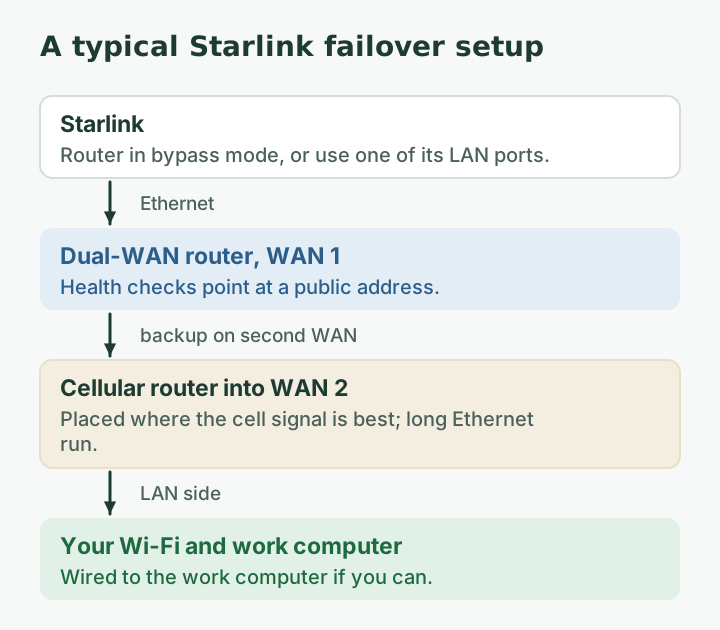
- Connect WAN 1 to Starlink. Use a LAN port on the Starlink router, or put the Starlink router in bypass mode. Bypass mode (Starlink app > Settings) turns off the Starlink router's Wi-Fi so a third-party router can connect; exit by factory reset.
- Know your ports. 2 ports The older Gen 2 router has no built-in Ethernet ports; an Ethernet adapter is sold separately.
- Expect some Starlink app features to change. Starlink does not guarantee performance with third-party routers; some app features may not work.
- IPv6. Native IPv6 is supported on all Starlink routers, kits and plans; IPv6-capable router clients get IPv6 addresses. If your router hands out IPv6, check how it handles IPv6 when it fails over to a backup line that may not offer the same. If in doubt, ask IT whether your work tools care.
Router setup walk-throughs are outside this article; your router maker’s guide is the reference.
Common mistakes
- Buying the router before testing cellular signal at the spot where the backup will sit.
- Pointing the health check at the Starlink router’s own address. It may answer while the satellite link is down, so the router never fails over.
- Leaving load balancing on and then wondering why the VPN or a bank site acts strangely.
- Plugging everything into one outlet. A power cut takes out both lines. Power sizing is outside this site’s scope, but plan for it.
- Never testing. Unplug WAN 1 once a month and time the switch.
After you buy: the first-day setup checks
- Set failover mode, not load balancing, for the work computer.
- Point health checks at a public address and set a failback delay.
- Turn on switch alerts and test that one arrives.
- Unplug WAN 1 and time the switch with a running ping; plug it back and time failback.
- Write the numbers down with the date, so next month’s test has something to compare against.
When you don’t need one
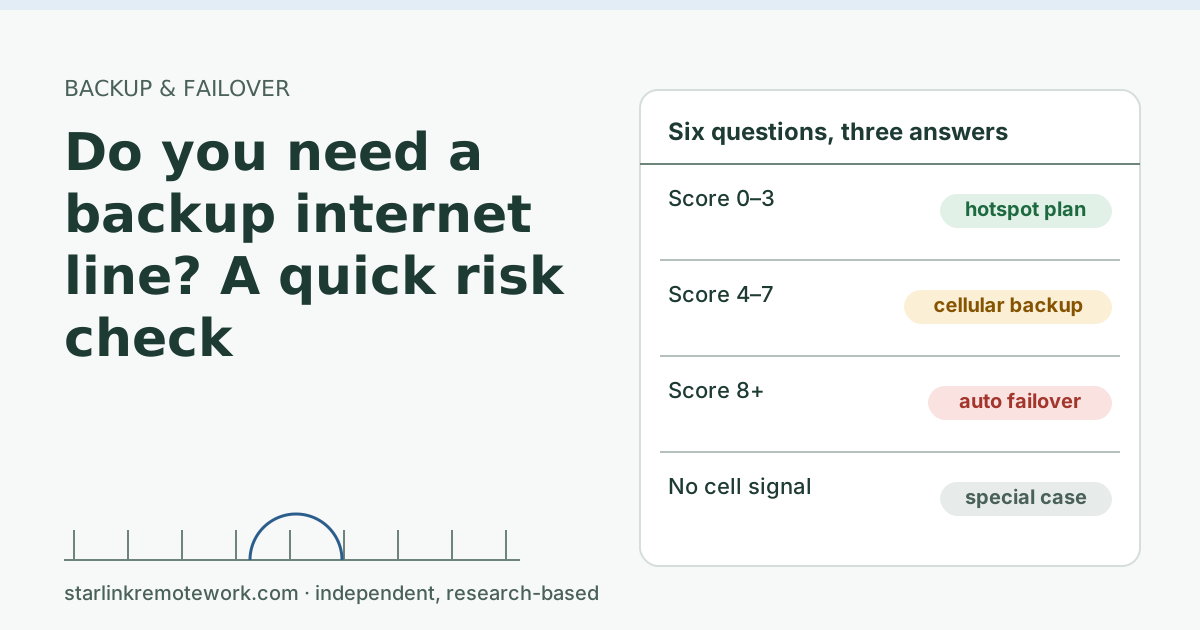
If a two-minute manual switch to your phone hotspot is acceptable, skip the router. If your only backup option is driving to the library, a router doesn’t help. The backup risk check sorts this out in six questions.
What we don’t know
Feature lists above come from the makers’ product pages and documentation, which don’t always state defaults (for example, how often a router checks a line out of the box). We have not tested these models over Starlink. Prices are from our dated file and will drift.
What to do next
- Get a full parts list with a monthly cost in the Failover Builder.
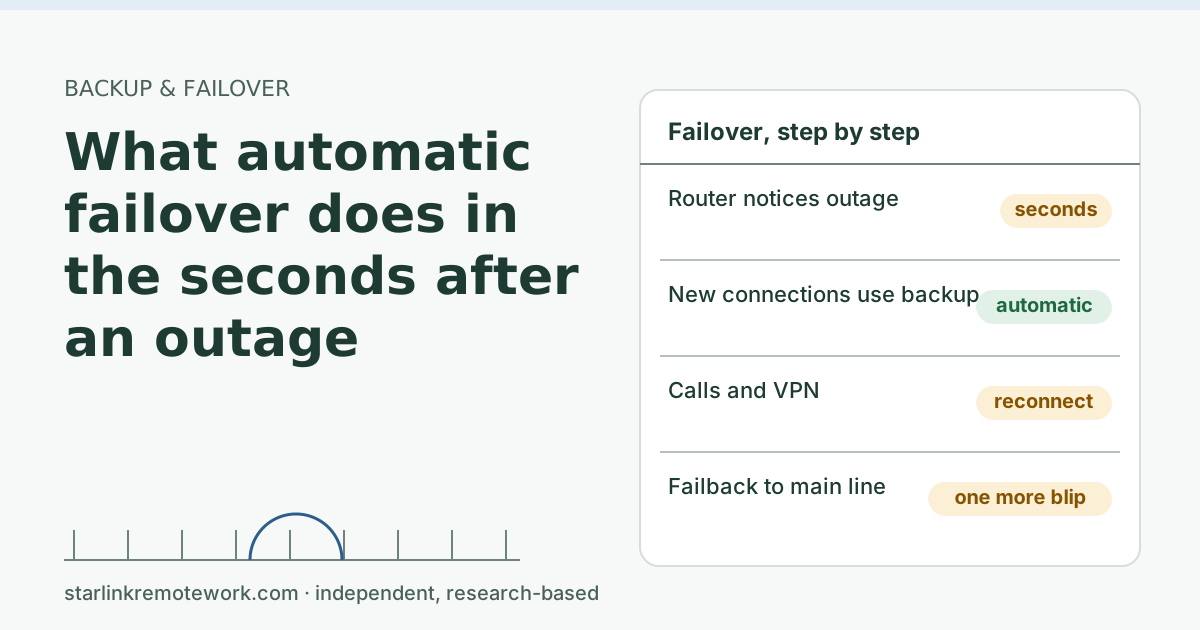
- Set expectations with what failover does in the first seconds.
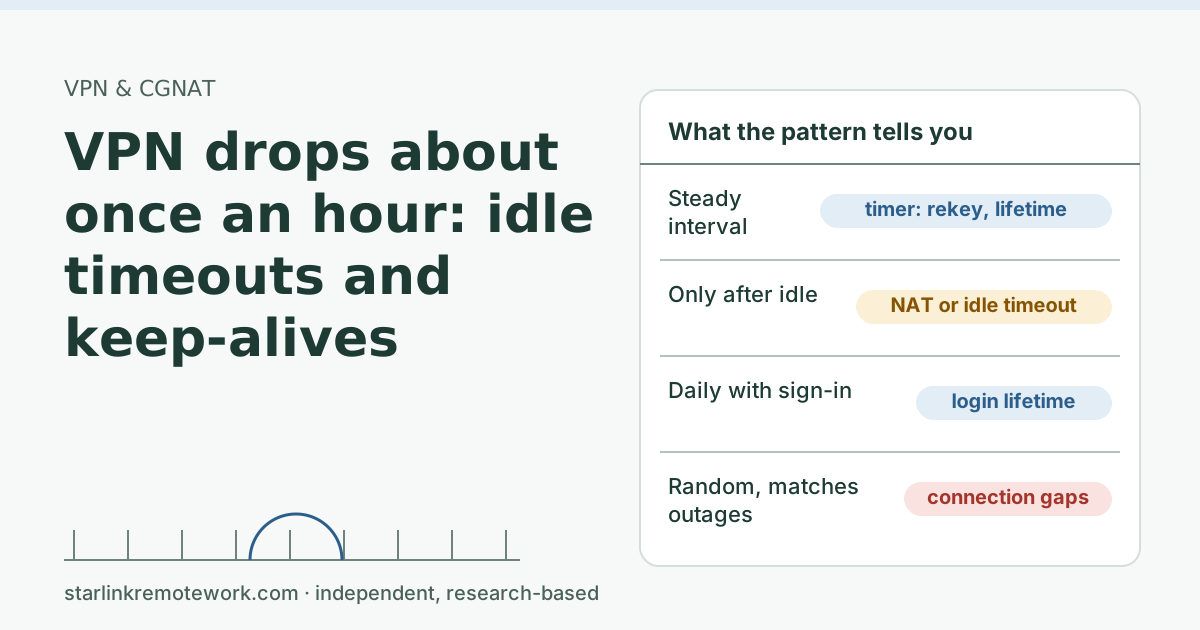
- If your VPN drops when lines switch, read VPN drops about once an hour for how VPN timers behave.
- For offices, see Starlink as the backup line for an office.
Questions people ask
Do I need a dual-WAN router for backup internet?
Only if you want the switch to happen without you. With a phone hotspot you can switch by hand in a couple of minutes. A dual-WAN router does it in seconds and frees you from noticing.
What is the best dual-WAN router for home?
The best one is the one that matches your backup’s connection type and lets you tune health checks and failback. A budget wired model is enough for many home offices; you pay more for Wi-Fi built in, cellular modems, or session-keeping features.
Can I use a dual-WAN router with Starlink?
Yes. Plug it into a LAN port on the Starlink router, or put the Starlink router in bypass mode so your router does the routing. Starlink says it doesn’t guarantee performance with third-party routers, and some app features may not work.
Does a dual-WAN router combine two internet speeds?
Load balancing spreads separate connections across both lines, which can raise total throughput for many downloads. It does not make one download or one call faster. True bonding needs a tunnel service.
Does a dual-WAN router need Wi-Fi?
No. Many are wired-only, and you keep using your existing Wi-Fi router or access points. Built-in Wi-Fi is convenient but not required.
Will a dual-WAN router keep my Zoom call going during an outage?
Not with plain failover. The call reconnects in seconds because your public IP changes. Keeping it live needs bonding or a tunnel service, such as Peplink SpeedFusion.
Sources
- IP Address (Starlink support), checked Oct 5, 2026
- What is bypass mode? (Starlink support), checked Oct 5, 2026
- Does the WiFi router have any ethernet (LAN) ports to connect wired devices? (Starlink support), checked Oct 5, 2026
- Can I add a third-party router or mesh system? (Starlink support), checked Oct 5, 2026
- What IP address does Starlink provide? (Starlink support), checked Oct 5, 2026
- Omada Store – ER605, checked Oct 5, 2026
- Omada ER605 product page, checked Oct 5, 2026
- GL.iNet Spitz AX (GL-X3000), checked Oct 5, 2026
- Search snippet: Spitz AX Amazon US price (secondary), checked Oct 5, 2026
- Verizon – Internet devices (hotspots), checked Oct 5, 2026
- Search snippet: T-Mobile hotspot device prices (t-mobile.com), checked Oct 5, 2026
- Omada Store – ER707-M2, checked Oct 5, 2026
- Omada ER707-M2 product page, checked Oct 5, 2026
- Ubiquiti Store – Cloud Gateway Ultra, checked Oct 5, 2026
- GL.iNet Flint 2 (GL-MT6000), checked Oct 5, 2026
- Search snippet: Flint 2 on Amazon/GL.iNet (secondary), checked Oct 5, 2026
- GL.iNet docs – Multi-WAN, checked Oct 5, 2026
- The Telecom Spot – Peplink (B One, BR1 Mini 5G) store search (secondary), checked Oct 5, 2026
- Peplink B One product page, checked Oct 5, 2026
- Verizon Wi-Fi Backup, checked Oct 5, 2026
- T-Mobile Home Internet Backup support page (snippet), checked Oct 5, 2026
- Droid Life: T-Mobile Home Internet Backup gets a major data upgrade (2026-03-30) (secondary), checked Oct 5, 2026
- TP-Link Omada: ER605 product page, retrieved Oct 6, 2026
- GL.iNet Docs: Multi-WAN, retrieved Oct 6, 2026
- Peplink: B One product page, retrieved Oct 6, 2026
Research-based: written from vendor documentation, Starlink support pages and standards, not from our own measurements. Starlink rules and prices on this page come from our dated fact file and show the day they were checked; they change, so confirm before you rely on one.Links to Starlink’s plan pages here use the site owner’s own referral link; the owner may get a referral reward and your price is the same. No affiliate links (how we make money). General information, not professional IT, legal or medical advice. Independent · not affiliated with SpaceX or Starlink. Spotted an error? Tell us.