Key takeaways
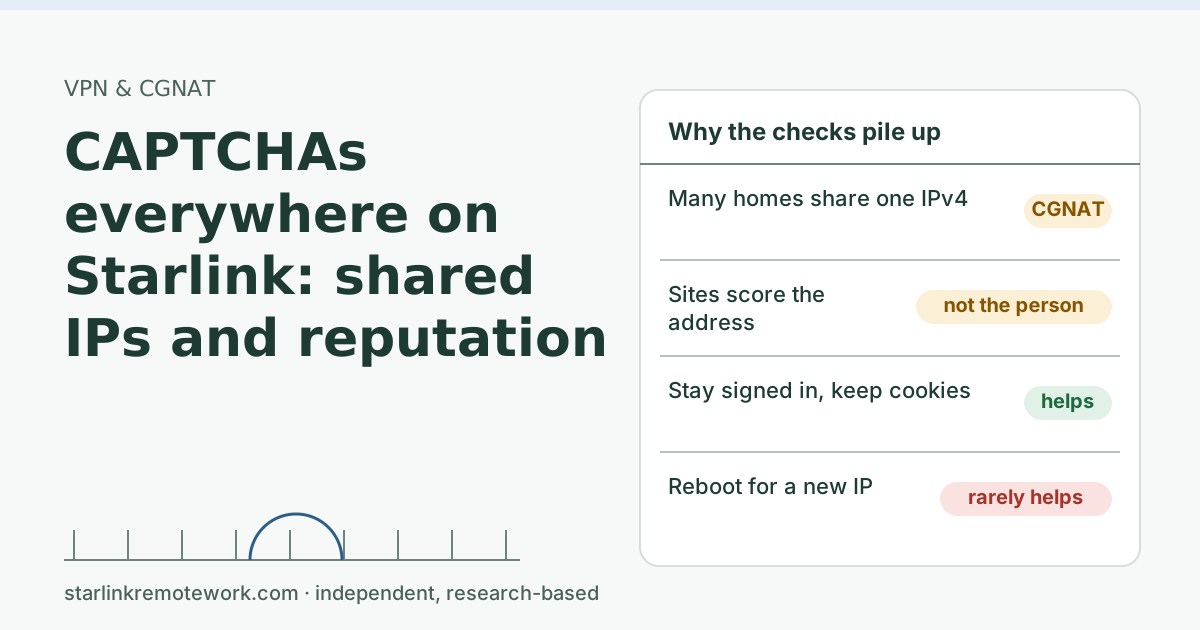
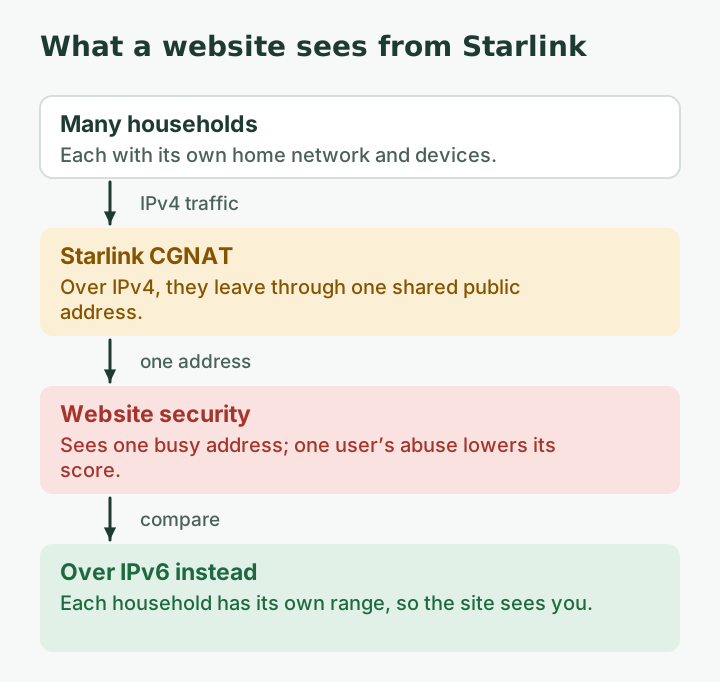
- Starlink Residential IPv4 runs through carrier-grade NAT, so many customers share each public address. Sites that judge traffic by IP see all of them as one busy visitor.
- Cloudflare found that shared CGNAT addresses get rate-limited about three times as often as other addresses, even though their bot scores are similar.
- Google’s reCAPTCHA FAQ lists being on a shared network that is being used abusively, or being assigned a suspicious IP by your provider, as reasons you see more challenges.
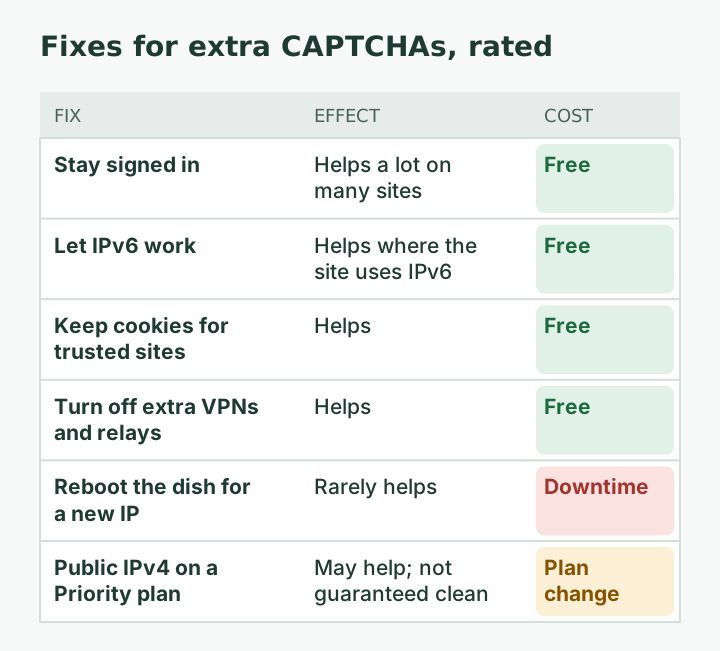
- What helps: staying signed in, keeping cookies, turning off extra VPNs or relays, and IPv6 where your router and the site support it. What doesn’t: rebooting to “get a new IP.”
On this page
- Why sharing an address triggers checks
- The symptoms, and what each means
- What actually helps
- What doesn’t help
- Check whether IPv6 is actually working
- For small businesses: when CAPTCHAs cost real time
- Is a public IP worth it for this?
- Edge cases
- Common mistakes
- What we don’t know
- What to do next
- Questions people ask
- Sources
Starlink users see more CAPTCHAs because their public IPv4 address is shared with many other customers through carrier-grade NAT, and many websites judge visitors partly by IP address. To a website, a shared address looks like one very busy visitor, and if anyone on that address misbehaves, everyone on it inherits the suspicion. You can’t change that on a Residential plan, but you can reduce how often it bites: stay signed in, keep cookies, drop extra VPNs or relays, and let IPv6 work where it can.
Why sharing an address triggers checks
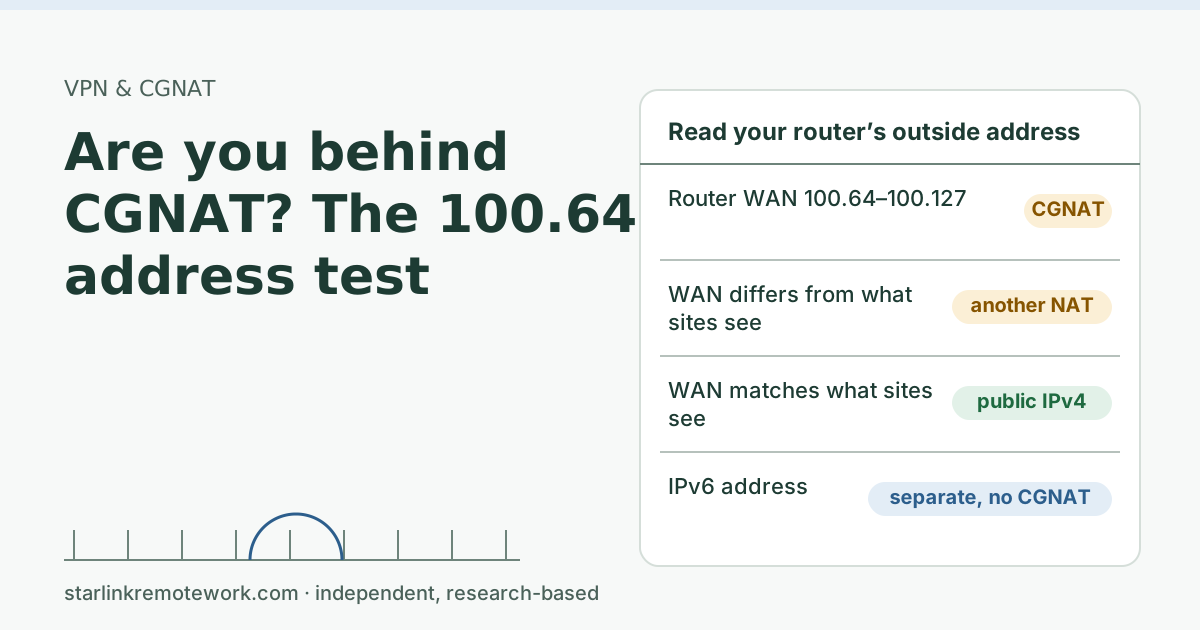
By default, Starlink IPv4 uses carrier-grade NAT (CGNAT) with private addresses from 100.64.0.0/10. Behind that layer, many households leave the internet through the same public IPv4 address. Sites see the address, not your house.
The IETF described the problem years before satellite internet was common. Its document on address sharing (RFC 6269) notes that with a shared address “it may become the natural behavior to see many login attempts from the same address,” and that “penalty box” defenses, which block an address after abuse, end up blocking legitimate users who share it.
Cloudflare, which protects a large share of websites, studied this directly. In a 2025 post (updated in 2026) it wrote that “an IP-based security system may inadvertently block or throttle large groups of users as a result of a single user behind the CGNAT engaging in malicious activity.” Its data showed CGNAT addresses were rate-limited “three times more often than non-CGNAT IPs,” even though their bot scores were about the same. In plain terms: you get challenged for sharing, not for anything you did.
Google’s reCAPTCHA FAQ lists the same causes from the user’s side: “You may be on a shared network that is being used abusively,” or “Your internet service provider may have recently assigned you a suspicious IP address.”
The symptoms, and what each means
| What you see | What is going on | Can you fix it? |
|---|---|---|
| Frequent “I’m not a robot” checks on search or shopping sites | The shared address has a low reputation score | Reduce it (below); can’t remove it |
| “Unusual traffic from your network” on Google | Many searches from the shared address, possibly automated | Usually clears; sign in, try later |
| Site says you are using a VPN or proxy when you aren’t | Address appears in a VPN or hosting list, or behaves like one | Report it to the site |
| Login challenges or “new location” warnings | Shared address geolocates far from you | Use the site’s trusted-device options |
| Rate-limit errors (“too many requests”) | The shared address hit a per-IP limit | Wait; try over IPv6 |
On location: RFC 6269 notes that a user behind CGNAT “geo-locates to wherever the prefix of the CGN appears to be; very often that will be in a different city than the subscriber.” That is why streaming services, banks and maps can think you’re somewhere else.
What actually helps
- Stay signed in. Many sites challenge anonymous visitors more than signed-in ones. Signing in to Google, your shopping sites and work tools gives them something other than your IP to judge.
- Keep cookies for sites you trust. Clearing cookies on every browser close, or strict anti-tracking modes, can make you look new every visit. Use a balanced setting for the sites you use daily.
- Turn off extra VPNs and relays. VPN exit addresses are shared too, and often listed as VPNs. Stacking a VPN on CGNAT tends to add challenges, not remove them.
- Let IPv6 work. Native IPv6 is supported on all Starlink routers, kits and plans; IPv6-capable router clients get IPv6 addresses. 56 prefix-length Over IPv6 your household has its own range, so a site reached over IPv6 sees you, not a crowd. If you use your own router, make sure IPv6 is turned on.
- Report false VPN or proxy blocks to the site, with the time and the public IP shown by a what-is-my-IP site. Some sites fix their lists when asked.
- For work tools that block your location, ask IT to use trusted-device or account-based checks instead of location; see our CGNAT guide.
What doesn’t help
- Rebooting to get a new IP. 5 min Even if you land on a different shared address, it has the same kind of crowd behind it.
- Changing DNS servers. DNS decides how names are looked up, not which address websites see.
- Paid “CAPTCHA solver” extensions. They raise privacy and security questions and can look more like automation, not less.
Check whether IPv6 is actually working
IPv6 is the one structural fix you have on a Residential plan, so it is worth five minutes to confirm it works.
- On a computer on your Wi-Fi, open a what-is-my-IP page that shows both IPv4 and IPv6. If it shows an IPv6 address (long, with colons), your device has IPv6.
- If it shows only IPv4, check your own router (if you use one) for an IPv6 setting and turn it on. Starlink delegates a prefix to routers that ask for it: 56 prefix-length If you only use the Starlink router, IPv6 should already be on.
- Check a site you care about. Big sites (search, video, large clouds) commonly support IPv6; smaller shops and banks often don’t. Where a site has no IPv6, your traffic to it still leaves over the shared IPv4 address.
- Don’t turn IPv6 off “to fix things” without a reason. Some guides suggest it for unrelated problems; on Starlink it removes your best way around shared-address scoring.
IT Details for your IT person
Starlink Residential: IPv4 via CGNAT (100.64.0.0/10), so many subscribers egress from shared public IPv4 addresses; native IPv6 with a delegated prefix per Starlink and a /64 on the WAN via SLAAC. Sites using IPv4 reputation, per-IP rate limits or IP geolocation will treat subscribers as a crowd. Mitigations on the site side: account- or device-based risk signals, IPv6 support, CGNAT-aware rate limits (Cloudflare describes detecting CGNAT ranges to calibrate rules). On the client side: avoid stacking VPN egress on top of CGNAT; ensure IPv6 is enabled on any third-party router.
For small businesses: when CAPTCHAs cost real time
A home office that checks a few sites a day can shrug this off. A small business that signs in to many supplier portals, payment dashboards or government sites all day may lose real minutes to challenges and “new location” checks. Practical steps:
- Ask each important portal about trusted devices or remembered sign-ins, so the device carries the trust instead of the address.
- Keep one browser profile per portal user, with cookies kept, rather than private windows.
- If a portal requires a fixed IP allowlist, CGNAT won’t satisfy it on a Residential plan; that is a separate problem from CAPTCHAs, and a public IP on a Priority plan still isn’t static: Starlink does not offer static IPs; addresses can change (relocation, software updates, network changes).
- Note the business-use rule. Starlink's terms say Residential plans are not permitted for business or enterprise uses. If your business depends on the connection, read our Starlink for business guide and when a business shouldn’t rely on Starlink alone.
Is a public IP worth it for this?
For most households, no. A public IPv4 is optional and only available on Local Priority and Global Priority plans. That means a business-oriented plan, which is a big change to solve an annoyance. A public address also isn’t automatically clean; it can carry a past reputation. If CAPTCHAs are blocking actual work (for example, a business that logs in to many supplier portals all day), weigh it with the other reasons in our Starlink for business guide.
Edge cases
- Only one site is bad. That site’s security settings are strict. Contact it; you can’t fix one site’s scoring from your side.
- It got worse suddenly. Someone sharing your address may be misbehaving, or your shared address changed. It often settles in a day or two.
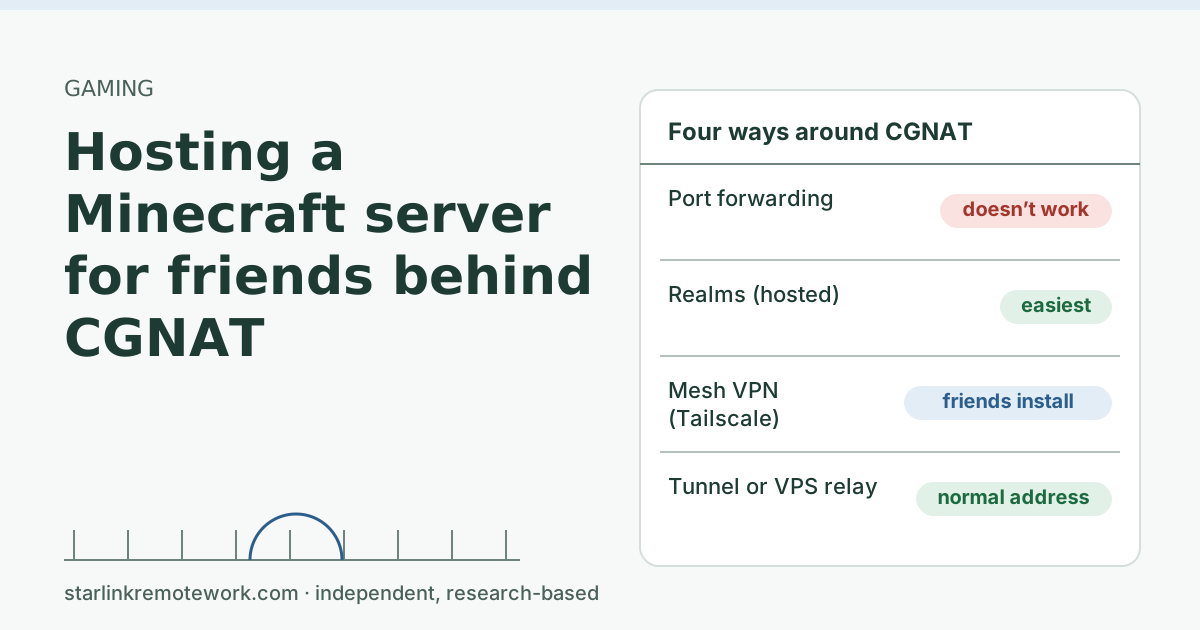
- Games and anti-cheat. Shared addresses can also trip game bans or matchmaking oddities; see hosting a Minecraft server behind CGNAT for the inbound side of CGNAT in games.
- Your router is double-NATing. That doesn’t change what sites see, but it can complicate IPv6. Check that IPv6 reaches your devices.
Common mistakes
- Assuming you’ve been hacked. Extra CAPTCHAs on CGNAT are normal and not a sign of infection. If you’re worried, run your usual security checks, but don’t panic.
- Blaming Starlink support for a website’s choice. Each site decides how it scores IP addresses.
- Turning on a VPN to escape it. See above.
What we don’t know
Neither Starlink nor the big CAPTCHA providers publish how many customers share each Starlink address or how Starlink addresses are scored, and scoring changes over time. Cloudflare’s figures are global, not Starlink-specific. We haven’t measured CAPTCHA rates on a Starlink line, and the Work-Day Reliability Report doesn’t track them; it focuses on latency, loss and outages during work hours.
What to do next
- Check that you are behind CGNAT and that IPv6 is reaching your devices with the 100.64 address test.
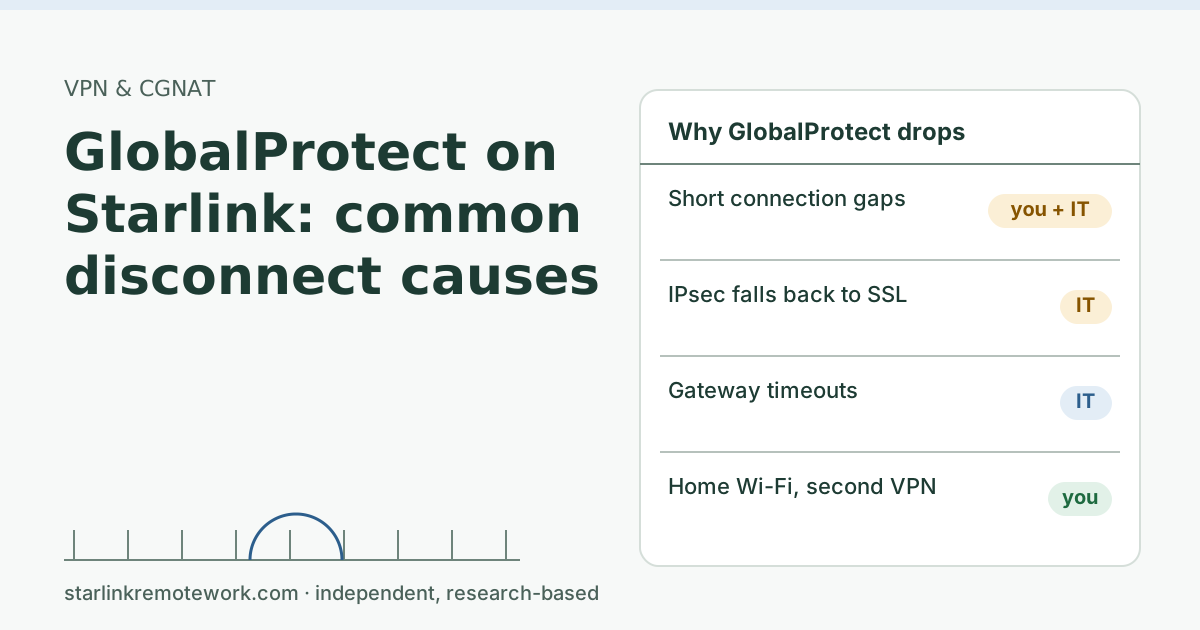
- If a work VPN is involved, see GlobalProtect on Starlink or our VPN guide.
Questions people ask
Why do I get so many CAPTCHAs on Starlink?
Your public IPv4 address is shared with other Starlink customers through carrier-grade NAT. Websites that score traffic by IP address see many people at once and sometimes bad behavior from someone else on the same address, so they challenge everyone on it.
Why does Google say unusual traffic from my network on Starlink?
Google’s reCAPTCHA FAQ says you may be on a shared network that is being used abusively, or your provider may have assigned you a suspicious IP address. On a shared CGNAT address, other users’ traffic counts against the address you use.
Will rebooting my Starlink get rid of CAPTCHAs?
Usually not for long. Starlink tries to keep the same address while you stay connected, and any new shared address can carry the same reputation problem.
Does a VPN stop CAPTCHAs on Starlink?
Often it makes them worse. VPN exit addresses are shared too, and many sites treat known VPN addresses with extra suspicion.
Does IPv6 help with CAPTCHAs on Starlink?
It can. Starlink gives each connection its own IPv6 range, so sites that reach you over IPv6 see your traffic, not a crowd’s. It only helps where your devices, router and the website all use IPv6.
Can I get my own IP address on Starlink?
A public IPv4 is opt-in and only offered on Local Priority and Global Priority plans, and it isn’t static. Residential plans use CGNAT for IPv4.
Sources
- What IP address does Starlink provide? (Starlink support), checked Oct 5, 2026
- DHCP Configuration (Starlink support), checked Oct 5, 2026
- IP Address (Starlink support), checked Oct 5, 2026
- Service Plan Descriptions (US, published 2026-10-05), checked Oct 5, 2026
- Cloudflare blog: Detecting CGNAT to reduce collateral damage (Jan 29, 2025; updated Jul 15, 2026), retrieved Oct 6, 2026
- Google reCAPTCHA: Frequently Asked Questions, retrieved Oct 6, 2026
- IETF RFC 6269: Issues with IP Address Sharing, retrieved Oct 6, 2026
Research-based: written from vendor documentation, Starlink support pages and standards, not from our own measurements. Starlink rules and prices on this page come from our dated fact file and show the day they were checked; they change, so confirm before you rely on one.Links to Starlink’s plan pages here use the site owner’s own referral link; the owner may get a referral reward and your price is the same. No affiliate links (how we make money). General information, not professional IT, legal or medical advice. Independent · not affiliated with SpaceX or Starlink. Spotted an error? Tell us.