Key takeaways
- Carriers need a registered US street address before they switch on Wi-Fi calling, because a 911 call over Wi-Fi uses that address when no cell signal is available.
- Rural addresses fail the check most often when they are mailing-only (PO box, rural route box) or too new to be in the carrier’s address database.
- The fix is usually the physical address your county assigned for 911, entered in the standard format, not your mailing address.
- After saving it, test Wi-Fi calling, and update the address every time the phone lives somewhere new.
On this page
- Why carriers ask, and why it matters at a no-signal house
- Why rural addresses fail the check
- Step by step: get a valid address saved
- A worked example (made-up address)
- The Starlink angle
- Edge cases
- Common mistakes
- Plan for the day the internet is down
- What we don’t know
- What to do next
- Questions people ask
- Sources
Carriers won’t switch on Wi-Fi calling until you save a US street address emergency crews can find, because that address is what a 911 call over Wi-Fi uses when there is no cell signal. At rural homes the check usually fails for one of two reasons: the address you typed is a mailing address (a PO box or rural route box) rather than the physical address of the house, or the house’s street address is too new for the carrier’s database. The fix is almost always to find and enter the physical address your county assigned for 911, in standard format, then test.
Why carriers ask, and why it matters at a no-signal house
On a normal cell call, the network can estimate where you are from the towers and your phone. Over Wi-Fi calling with no tower in reach, it can’t. So carriers collect a registered address up front. Verizon puts it plainly: it is “required by the FCC to support 911 calls and collect a registered location to enable the service.”
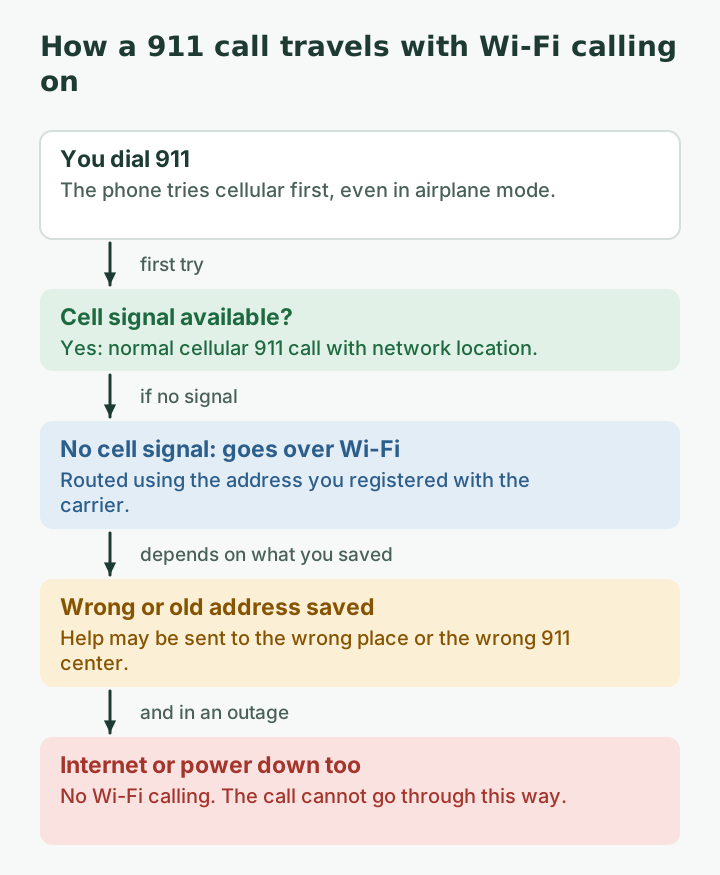
Here is how a 911 call behaves on Wi-Fi calling, according to Verizon’s support page:
- 911 calls “always try cellular service first,” even in airplane mode or with cellular turned off.
- If cellular isn’t available and Wi-Fi calling is set up, “the 911 call routes using the registered address.”
- If you aren’t at the registered address, “the call may not be routed to the closest emergency service provider.”
At a house with no cell coverage, that registered address is the only thing telling the system where to send help. That is why it matters to get it exactly right, not just to get past the error message.
Why rural addresses fail the check
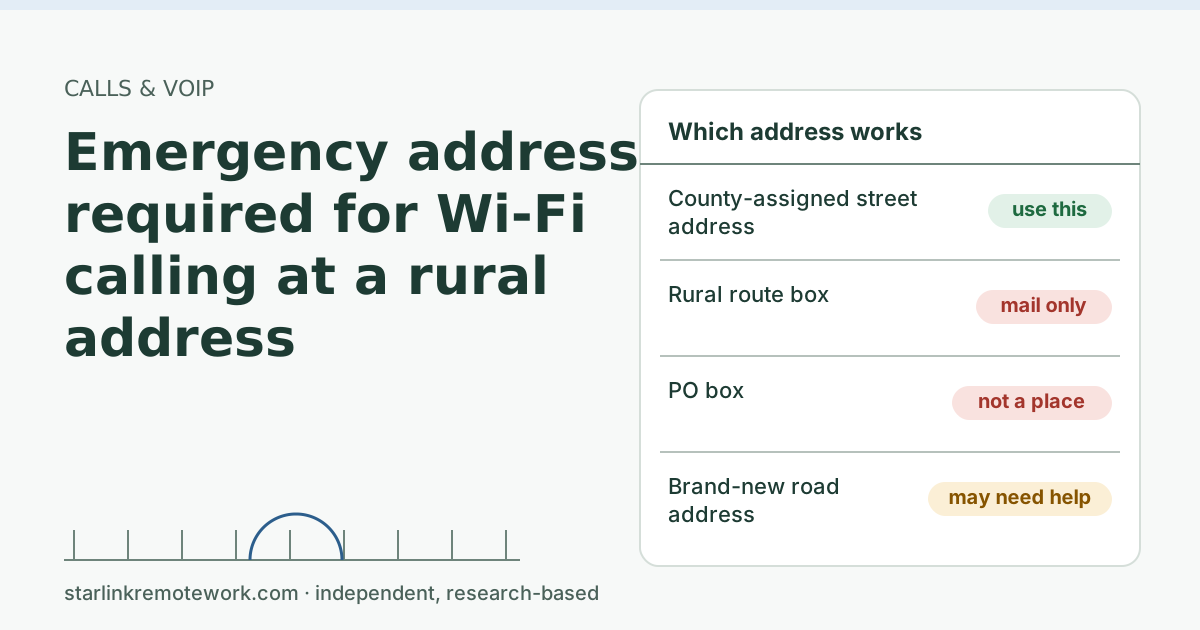
Carriers check the address against a database of valid locations. Rural addresses trip that check in predictable ways:
| What you entered | Why it fails or misleads | What to use instead |
|---|---|---|
| PO box | Not a physical place; nobody can drive to it | The house’s street address |
| Rural route box (for example RR 2 BOX 152) | A mail delivery format, not a location on a map | The county-assigned street address |
| A town name that is your mailing town | Your house may be in a different county or emergency district | The address as the county records it |
| A brand-new road or driveway address | Not yet in the database the carrier checks | Ask the county when it was added; ask the carrier for help |
| A house number with extras (“Lot B, behind barn”) | Database can’t match free text | Standard format; give directions to the carrier separately if they allow notes |
USPS uses a set format for rural route mail addresses, “RR ## BOX ##,” which is exactly the kind of address that gets mail to you but tells emergency crews nothing about where the house is.
Step by step: get a valid address saved
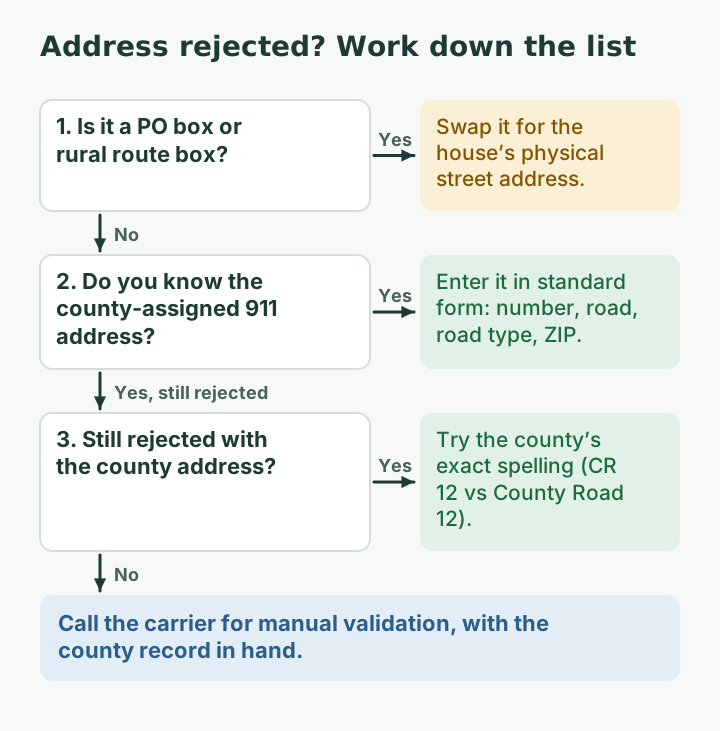
- Find your physical address. If the house has a number on the road and a road name, that is usually it. If you only know a mailing address, check your property tax bill, your electric bill’s service address, or call the county. Counties assign physical addresses for emergency response, usually through a planning, GIS, addressing or emergency management office.
- Write it in plain standard form. House number, road name, the road type (Rd, Hwy, Ln) and the ZIP code. Leave out words like “rural” and characters like “#”. USPS’s own rural route rule says not to use “RURAL, NUMBER, NO., or the pound sign.”
- Enter it in the phone. On iPhone, Apple says you may need to “enter or confirm your address for emergency services” when you turn on Wi-Fi Calling (Settings, Cellular, Wi-Fi Calling). On Android, search Settings for “Wi-Fi Calling” or “Emergency address.” Some carriers also let you set it in their app or account website.
- If it is rejected, try the variations the county uses, for example “County Road 12” versus “CR 12,” or the state highway number versus its local name. Use the version that appears on county records.
- Still rejected? Call the carrier. Ask them to validate the address manually or tell you which version their database holds. Have the county’s record handy.
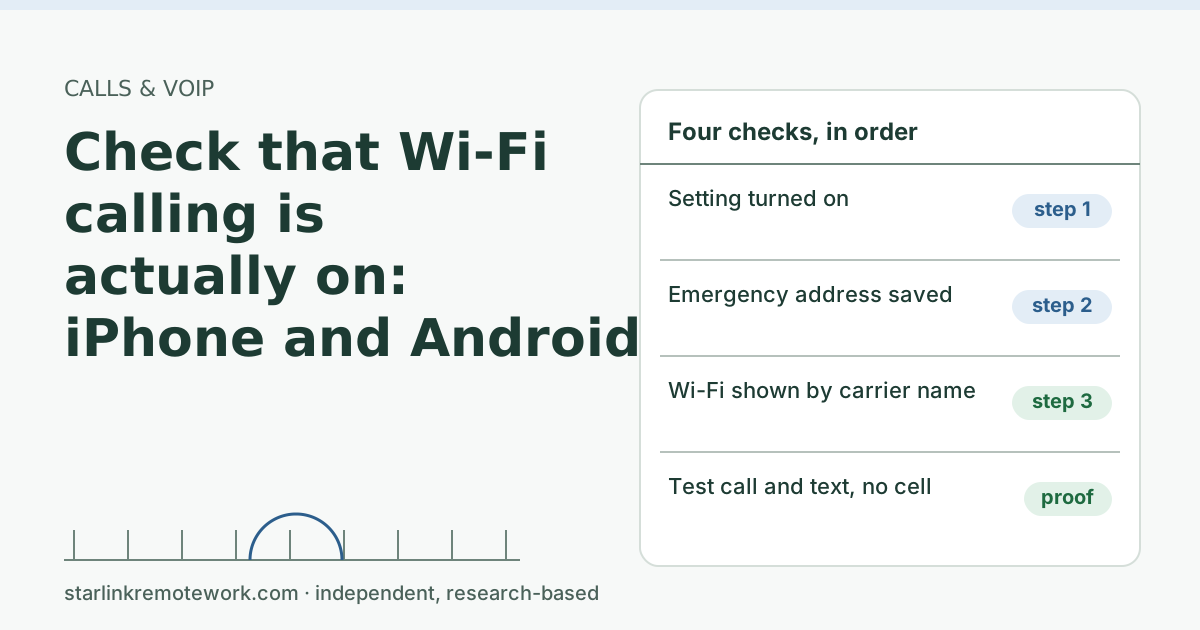
- Test. Follow the five-minute test in check that Wi-Fi calling is actually on. Do not place a test call to 911; your local 911 center may offer a non-emergency number for questions.
A worked example (made-up address)
Here is the kind of swap that usually fixes the error. The addresses below are invented for illustration.
| Mailing address (what you write on forms) | Physical address (what you register) | |
|---|---|---|
| Line 1 | RR 2 BOX 152 | 4185 County Road 12 |
| Town | The post office town 9 miles away | The same ZIP, as the county records it |
| Who can find it | The mail carrier on route 2 | A deputy, fire crew or ambulance with a map |
| Carrier check | Often rejected or matched to the post office | Matches if the county address is in the database |
Suppose the mailing address keeps coming back “address not valid.” The county’s parcel record would show the physical address, here “4185 County Road 12.” If “4185 CR 12” is also rejected, try spelling out “County Road,” since the carrier’s database may hold one form and not the other. Once one version matches, Wi-Fi calling can switch on, and the test call and text tell you it works.
The general lesson: the mail system and the emergency system use different addresses for many rural homes. Your phone needs the emergency one.
Where to find the physical address
- Your property tax statement or the county parcel viewer, if your county has one online.
- The service address on an electric, propane or well-drilling bill.
- A house number sign at the end of the driveway (many counties require one for this reason).
- A phone call to the county office that assigns addresses. Ask: “What is the physical 911 address for my parcel?”
The Starlink angle
Your Starlink service address and your carrier emergency address are separate things, kept by separate companies. Keep both accurate. A few Starlink-specific notes:
- Starlink says Wi-Fi Calling is sensitive to IP geolocation; it advises checking IP location and contacting your carrier first. Your public IPv4 address is shared through carrier-grade NAT and may appear to be in a city far away, which has nothing to do with the emergency address you saved, but can confuse some carrier checks. See our Wi-Fi calling guide.
- Residential is for a fixed location: no in-motion use and no roaming away from the service address. If you move the phone to a cabin or job site, update the phone’s emergency address too, regardless of how that location gets internet.
- For VoIP/Wi-Fi Calling problems Starlink says to contact your carrier first, then open a Starlink ticket with IP and ping results.
Edge cases
- Two homes. Update the emergency address each time you arrive. Verizon’s advice: “update your emergency address whenever you change locations.”
- Outbuildings and shops on the same property. If you work in a separate building with its own address, register the address where you actually are most of the time, and know the other one.
- Visitors and family. Each person’s phone has its own registered address on their own account. A visiting relative’s phone may still point to their home city.
- Traveling abroad. Verizon says iPhones can’t turn on its Wi-Fi Calling outside the US. Other carriers have their own rules.
- Work phones. Company-managed phones may hide the setting. Ask IT to set the address.
Common mistakes
- Using the mailing address because it is what you always write. It passes some checks and routes help to the wrong place.
- Adding directions in the address line. Database matching fails; save directions for the 911 operator.
- Setting it once and forgetting it. Moves, new phones and carrier changes all reset or invalidate it.
- Assuming Wi-Fi calling covers outages. If the internet or power is down, there is no Wi-Fi calling.
Plan for the day the internet is down
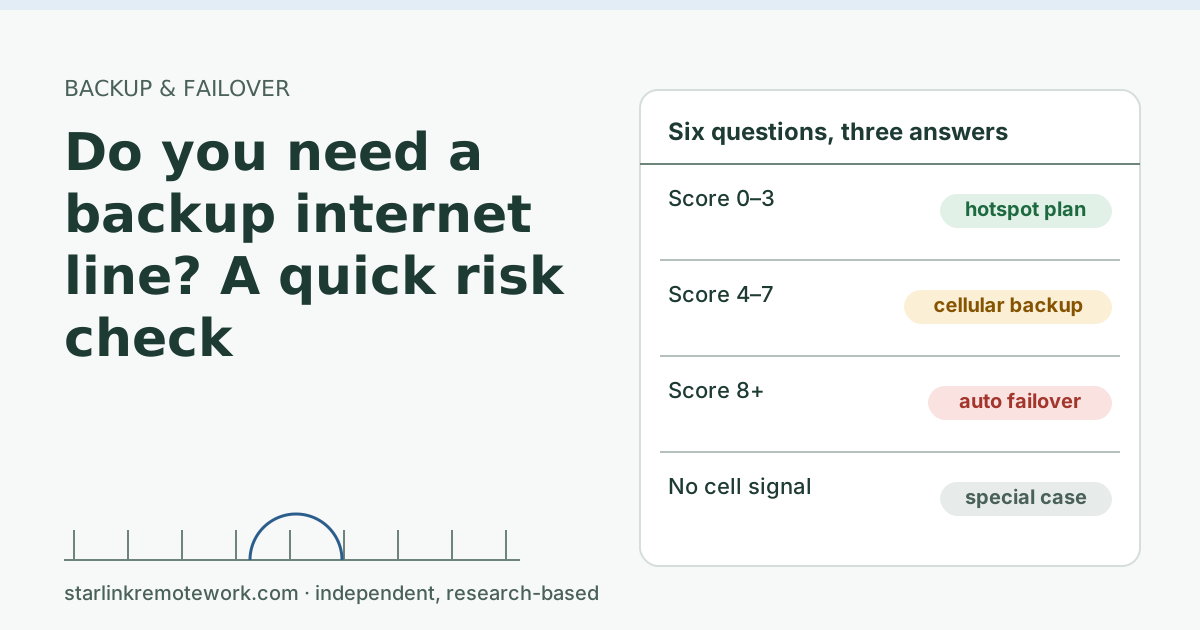
In a house with no cell signal, a Starlink outage or power cut also takes out your phone. If that is a real safety risk (an older parent living alone, medical equipment, a remote work site), plan a second path before you need it: a cellular booster where there is some outdoor signal, a backup internet line on a different technology, or a phone service with its own battery backup. Our Failover Builder sizes a backup line in five questions, and do you need a backup line at all is a quick risk check. Power backup sizing is outside this site’s scope.
What we don’t know
We could not read the FCC’s own consumer page on Wi-Fi calling and 911 for this article, so carrier statements above come from Verizon’s and Apple’s support pages. Carrier databases and rules vary; T-Mobile and AT&T customers should confirm on their carrier’s page. We have not tested each carrier’s address check at a rural Starlink home.
What to do next
- Find your county-assigned physical address and save it in your phone today.
- Run the test in check that Wi-Fi calling is actually on.
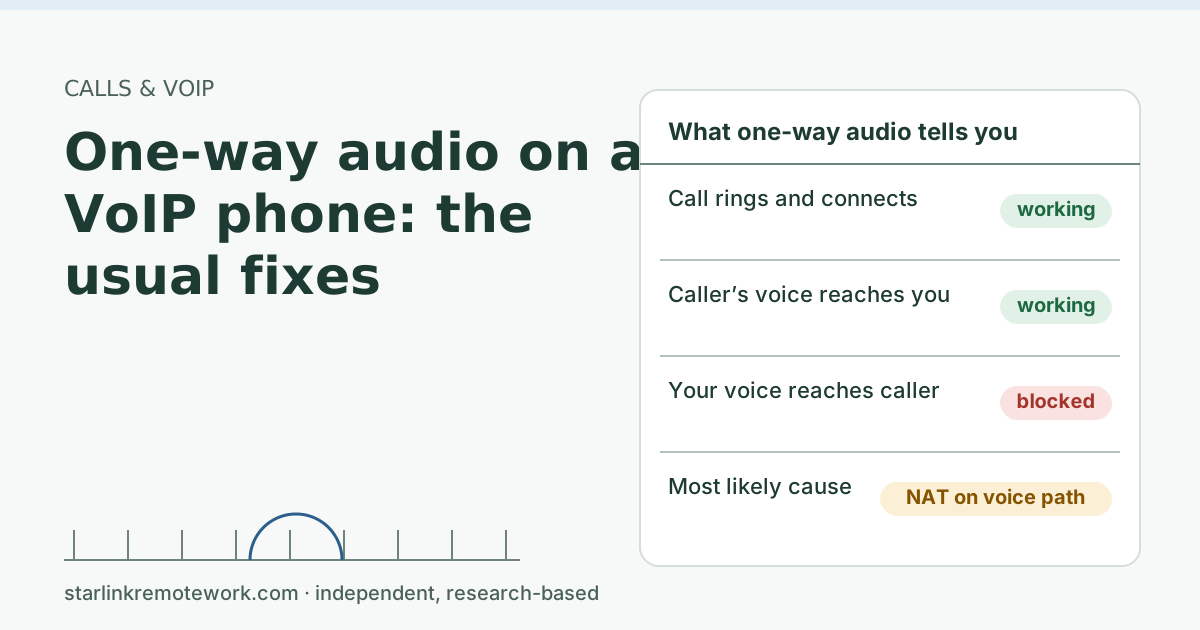
- If you also use a VoIP home phone, register the same physical address with that provider. Our one-way audio guide covers other VoIP problems.
- For more on calls over a satellite link, see the Zoom and Teams calls guide.
Questions people ask
Why does Wi-Fi calling ask for an emergency address?
When a 911 call goes over Wi-Fi with no cell signal, the carrier can’t locate you from towers, so it routes the call using the address you registered. Verizon says it is required by the FCC to support 911 calls and collect a registered location to enable the service.
Why won’t my carrier accept my rural address for Wi-Fi calling?
Usually because the address entered is a mailing address (PO box or rural route box) rather than a physical street address, or because the street address is new and not yet in the database the carrier checks against.
Can I use a PO box as my Wi-Fi calling emergency address?
Don’t. A PO box is not a place an ambulance can drive to. Use the physical address of the house, even if your mail goes elsewhere.
What if my house doesn’t have a street address?
Contact your county about a physical (911) address. Counties assign these, often through a planning, GIS or emergency management office. Until then, ask your carrier how to register the location.
Does 911 over Wi-Fi calling know where I am?
It relies on the registered address when there is no cell signal. Verizon notes that if you are not at that address, the call may not reach the closest emergency service provider, so keep it current.
Will 911 work over Wi-Fi calling during a Starlink outage?
No. Wi-Fi calling needs a working internet connection and power. In a house without cell coverage, plan another way to reach 911 during outages.
Sources
- Additional FAQs - Troubleshooting (VoIP and WiFi Calling Issues) (Starlink support), checked Oct 5, 2026
- What are the Residential plans? (Starlink support, modified 2026-04-08), checked Oct 5, 2026
- Verizon Support: Wi-Fi Calling FAQs (emergency address and 911 routing), retrieved Oct 6, 2026
- Apple Support: Make a call with Wi-Fi Calling on iPhone, retrieved Oct 6, 2026
- USPS Publication 28: Rural route address format, retrieved Oct 6, 2026
Research-based: written from vendor documentation, Starlink support pages and standards, not from our own measurements. Starlink rules and prices on this page come from our dated fact file and show the day they were checked; they change, so confirm before you rely on one.Links to Starlink’s plan pages here use the site owner’s own referral link; the owner may get a referral reward and your price is the same. No affiliate links (how we make money). General information, not professional IT, legal or medical advice. Independent · not affiliated with SpaceX or Starlink. Spotted an error? Tell us.