Key takeaways
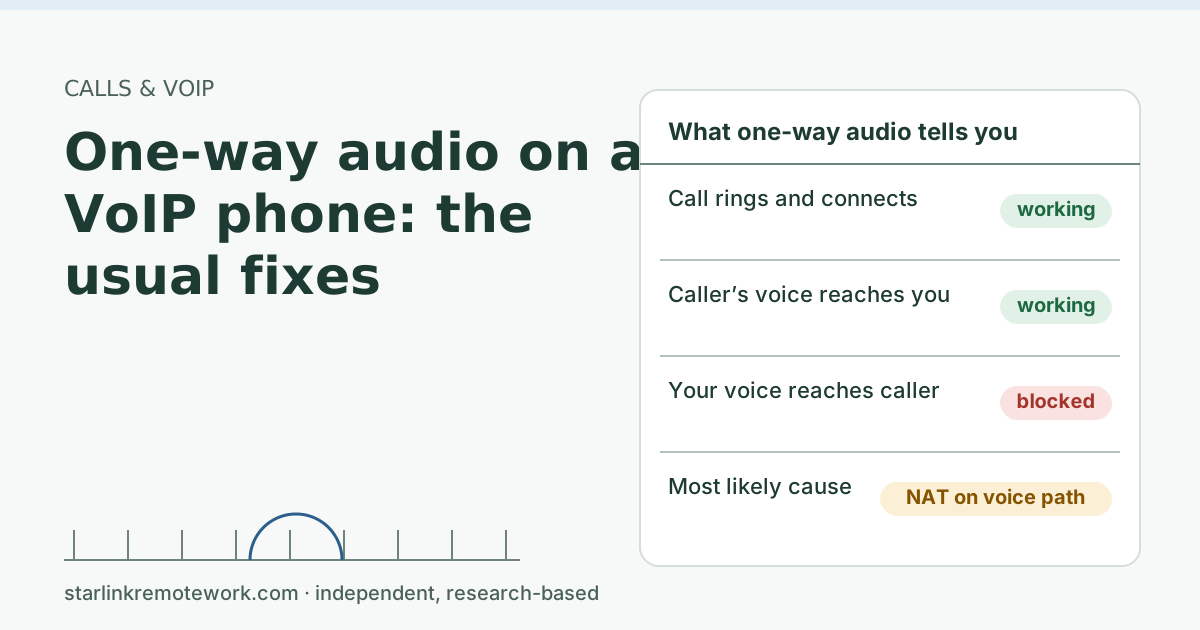
- One-way audio means call signaling worked but the voice stream in one direction was sent to an address that can’t be reached, usually because of NAT.
- Starlink Residential uses carrier-grade NAT. The default CGNAT policy blocks all inbound connections (no inbound ports). Your phone or adapter must open the voice path from the inside and keep it open.
- The usual fixes, in order: turn off SIP ALG on your own router, turn on NAT keep-alive and symmetric RTP on the phone or adapter, avoid double NAT, then call your VoIP provider with times and test results.
- Starlink says to contact your phone or VoIP provider first for calling problems, then open a Starlink ticket with IP and ping results.
On this page
- Why NAT breaks one direction of a call
- The usual causes, most common first
- Fixes to try, in order
- A worked example: the call that goes quiet on hold
- What to send your VoIP provider (and Starlink, if needed)
- Edge cases
- Common mistakes
- When to stop fighting it
- What we don’t know
- What to do next
- Questions people ask
- Sources
One-way audio on a VoIP phone means the call itself connected, but the voice stream going one way is being sent to an address it can’t reach. On a Starlink connection that is almost always a network address translation (NAT) problem: a router rewriting the call setup badly, a voice path that closes because nothing kept it open, or two layers of NAT confusing the phone. The fixes are mostly settings on your own router and your phone or adapter, and you can work through them in about half an hour.
Why NAT breaks one direction of a call
A VoIP call has two parts. Signaling (usually SIP) rings the phone and agrees how to talk. Media (RTP) carries the actual voices, as a separate stream of small UDP packets in each direction.
During signaling, each phone tells the other side where to send its audio: an IP address and port. Behind NAT, a phone may announce its private, inside address. The IETF’s SIP NAT document describes exactly this: a client “advertises its address to receive media and it exists in a private network that is not accessible from outside the NAT,” so the packets sent there go nowhere. One direction works, because your phone can send outward; the other direction is lost. That’s your one-way audio.
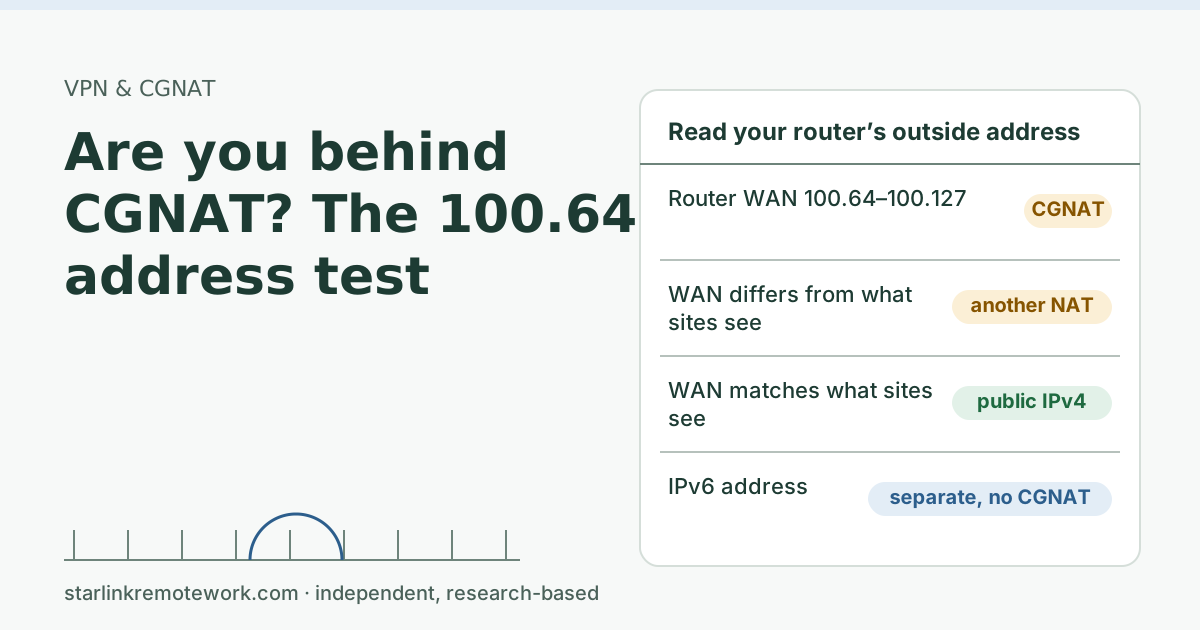
Starlink adds a layer. By default, Starlink IPv4 uses carrier-grade NAT (CGNAT) with private addresses from 100.64.0.0/10. The default CGNAT policy blocks all inbound connections (no inbound ports). You are not the only one sharing that public address, and nothing outside can open a path to you. Your phone has to open the path from the inside and keep it open. Read more in our CGNAT and public IP guide.
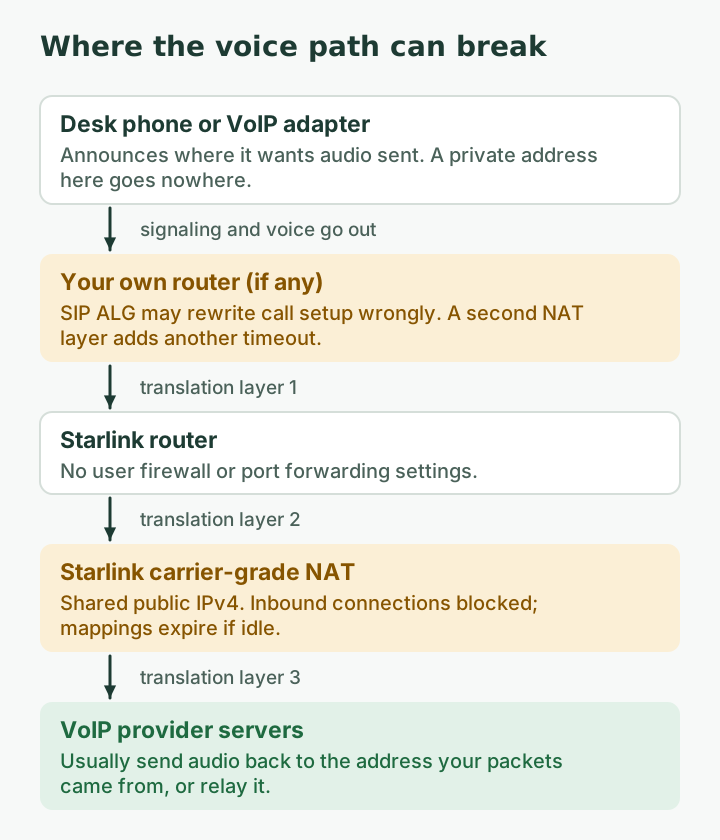
Most hosted VoIP services handle this well: their servers note the public address and port your packets actually came from and send audio back there (the IETF calls this symmetric RTP), and they relay media when a direct path fails. When one-way audio happens anyway, one of the following is usually in the way.
The usual causes, most common first
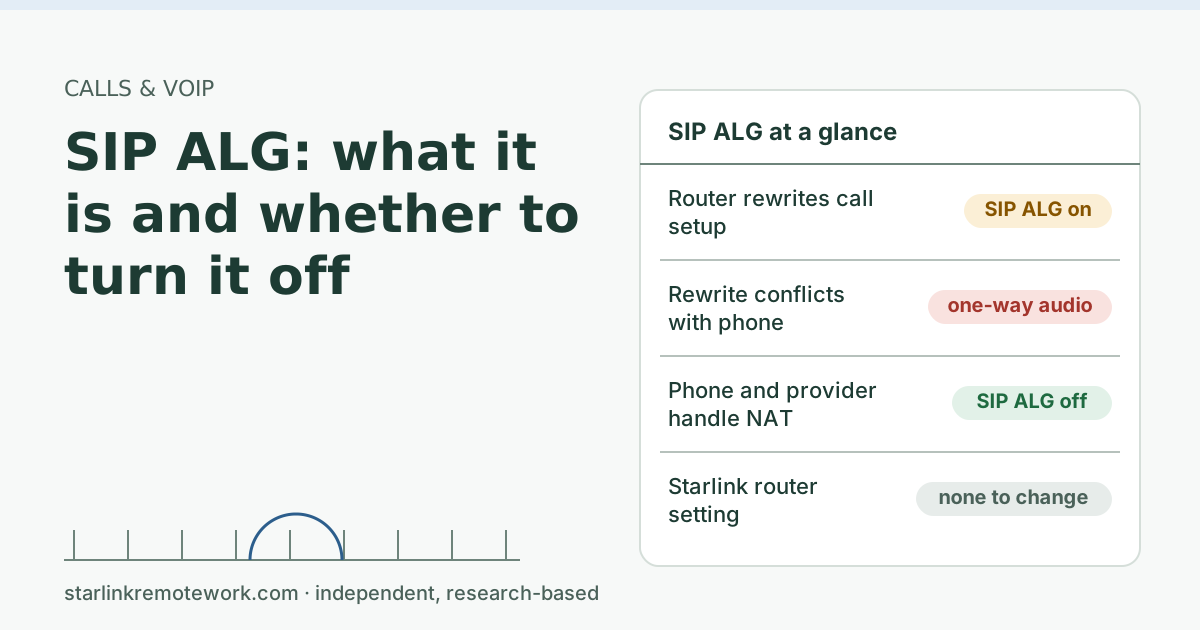
- SIP ALG on your own router. Many consumer routers include a “SIP helper” that rewrites the addresses inside SIP messages. When it gets it wrong, it breaks the very thing it means to fix. The IETF’s NAT behavior rules say “NAT ALGs for UDP-based protocols SHOULD be turned off,” and the SIP NAT document notes ALGs “can have an adverse impact on the functionality of SIP.” Our SIP ALG explainer walks through it.
- The NAT mapping timed out. A NAT keeps a mapping only while packets flow. The IETF minimum for a UDP mapping timer is two minutes, with five or more recommended, but real devices vary. If your phone is quiet for longer than the mapping lasts (on hold, or between re-registrations), the return path closes.
- Double NAT. If you run your own router behind the Starlink router (not in bypass mode), plus Starlink’s CGNAT, that is three layers of translation. Each layer is another place for a mapping to expire.
- Phone or adapter settings. Wrong NAT traversal settings (STUN on when it shouldn’t be, or off when it should), an outdated firmware, or a fixed private address announced in SDP.
- The provider’s side. Sometimes the fault is a media server or codec mismatch at the provider. That is why your provider’s logs matter.
Fixes to try, in order
Make a test call to a cell phone after each step, and note what changed.
- Reboot the adapter or phone, not the whole network. It forces a fresh registration and new mappings. If one-way audio vanishes for a while and then returns, think “timeout” (step 4).
- Turn off SIP ALG (sometimes called SIP helper, SIP passthrough or VoIP ALG) on any router you own. The Starlink router itself has no user firewall settings: Starlink Wi-Fi routers do not support port forwarding or firewall rules for IPv4 or IPv6.
- Remove double NAT if you can. If you use your own router, put the Starlink router in bypass mode so only your router does the translating. Bypass mode (Starlink app > Settings) turns off the Starlink router's Wi-Fi so a third-party router can connect; exit by factory reset. Router setup steps are outside this article.
- Turn on NAT keep-alive in the phone or adapter settings, if it has the option, and set it well under a minute. The IETF’s SIP keep-alive guidance suggests UDP keep-alives every 24 to 29 seconds, chosen to survive NATs with timeouts as low as 30 seconds. Your provider may recommend a specific value; use theirs.
- Check symmetric RTP / NAT mode. Many adapters have a “NAT mode”, “symmetric RTP” or “use received address” option. Set it the way your provider’s guide says.
- Shorten the registration interval if your provider supports it (for example, re-register every few minutes instead of every hour).
- Call your VoIP provider with the details below. Starlink’s guidance is to contact your carrier first: For VoIP/Wi-Fi Calling problems Starlink says to contact your carrier first, then open a Starlink ticket with IP and ping results.
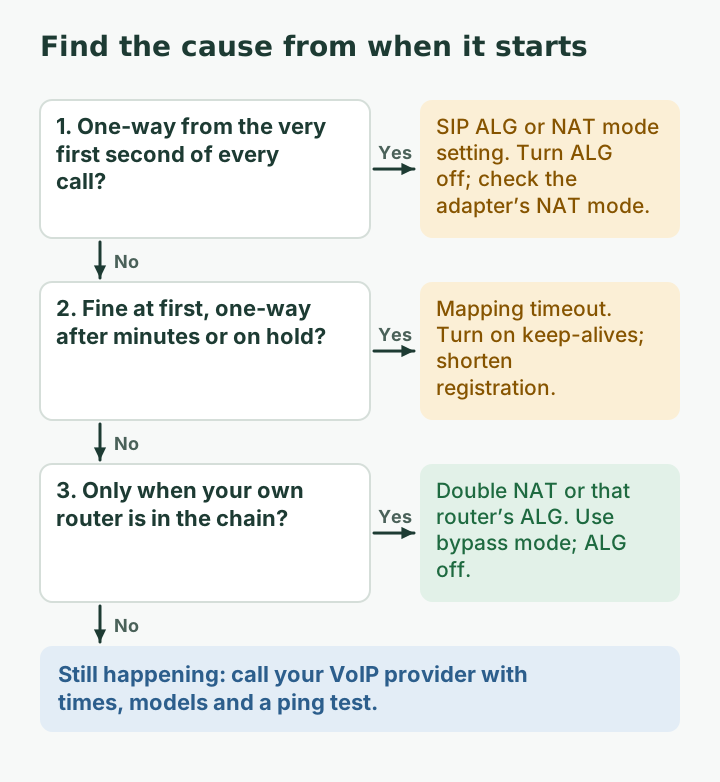
| Symptom | Likely cause | Try |
|---|---|---|
| One-way audio from the very first second | SIP ALG rewrite, wrong NAT setting | Turn off SIP ALG; check NAT mode on the adapter |
| Audio fine, then goes one-way after a few minutes or on hold | Mapping timeout | Turn on keep-alives; shorter registration |
| Inbound calls don’t ring at all, outbound works | Registration expired | Keep-alives; reboot adapter; check provider status |
| Only with your own router in the chain | Double NAT or that router’s ALG | Bypass mode on the Starlink router; ALG off |
| Random, with choppy audio too | Loss or jitter, not NAT | Run a ping test during calls |
A worked example: the call that goes quiet on hold
A common pattern looks like this. You call your bank, both sides talk fine, and you are put on hold. Hold music plays from their side, but your phone sends little or nothing because you are not talking and many phones stop sending audio during silence. Four minutes later the agent comes back and can’t hear you.
What happened is a timer. The NAT mapping for your outgoing voice stream only stays open while packets pass through it. The IETF’s rule for NAT devices is that a UDP mapping timer “MUST NOT expire in less than two minutes,” with a default of five minutes or more recommended. Real devices don’t always follow the recommendation, and you have up to three of them in the chain (your router, the Starlink router unless it is in bypass mode, and Starlink’s CGNAT). If any one of them drops the mapping during the quiet spell, your voice packets start using a new mapping that the far end doesn’t know about.
The fix is to never let the path go quiet: a keep-alive every 20 to 30 seconds refreshes every mapping in the chain long before the shortest plausible timer runs out. That is why step 4 above matters more on Starlink than on a simple cable connection with one NAT layer.
What to send your VoIP provider (and Starlink, if needed)
- Date, time and duration of two or three bad calls, and which direction was silent.
- Your adapter or phone model and firmware.
- Whether you use your own router, and whether SIP ALG is now off.
- A 30-second ping test result. Starlink’s VoIP guidance says to note latency over 200 ms or any packet loss in that test.
- That your connection is behind CGNAT (the WAN address starts with 100.64 to 100.127; see how to check for CGNAT).
Edge cases
- One-way audio only on long calls. That pattern points at timers (NAT mapping or SIP session refresh). Ask the provider which timer applies.
- Only on calls to one company. Their phone system may be the problem. Test with two or three other numbers.
- A house full of devices. Starlink says hitting the session limit can drop VoIP calls, freeze video meetings and cause gaming/VPN issues. It is rare in a normal home, but worth knowing.
- Fax lines. Fax over VoIP is far less forgiving than voice; treat it as a separate problem.
Common mistakes
- Opening or forwarding ports “for VoIP.” It doesn’t work behind CGNAT, and hosted VoIP rarely needs it.
- Putting the adapter in the router’s DMZ. Same reason; it does nothing useful behind CGNAT and weakens your router’s protection.
- Swapping routers before trying the free settings above.
- Calling Starlink first. Start with the VoIP provider, who can see the call logs.
When to stop fighting it
If you need a reliable landline-style phone for a home business or an older parent, a plan that does not depend on one connection is safer: VoIP with call forwarding to a cell phone when the line is down, or a cellular backup. That is also where 911 reliability matters most; register the correct address with your provider. Our VoIP and Wi-Fi calling guide covers the options, and the Failover Builder sizes a backup line in five questions.
What we don’t know
We have not run VoIP adapter tests on a Starlink line, and adapter menus vary by brand and provider. Where a setting name above doesn’t match your device, your provider’s setup guide is the authority. Starlink does not publish its CGNAT mapping timeouts, so we can’t give you an exact keep-alive number that is guaranteed to work.
What to do next
- Work through the seven fixes above, one test call at a time.
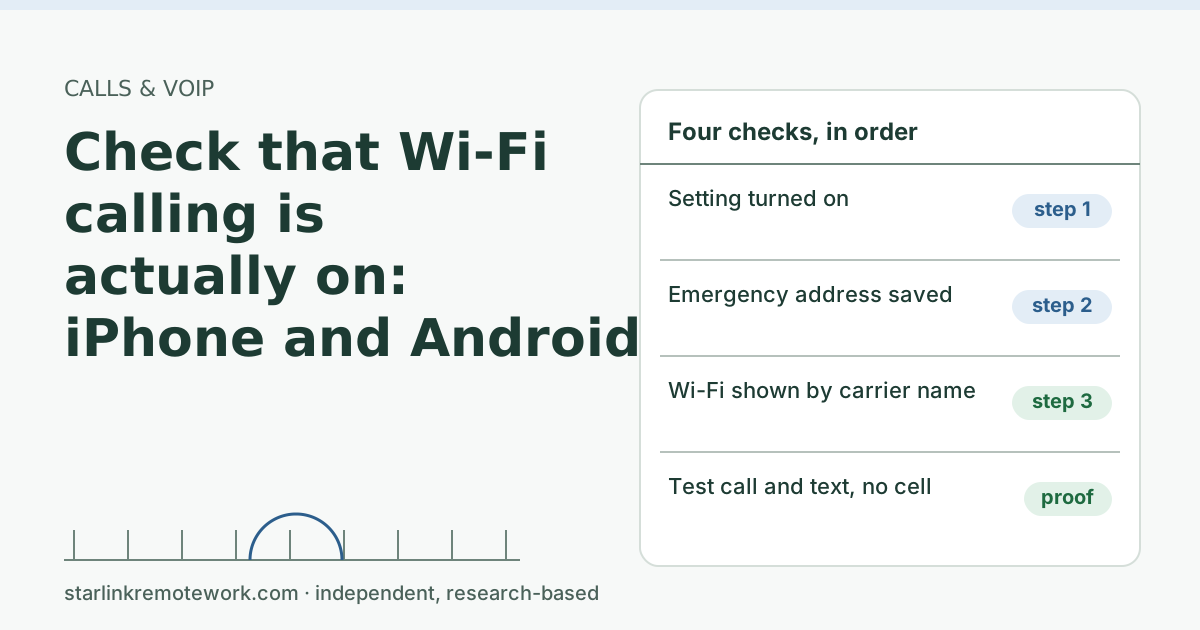
- If your phone also struggles with Wi-Fi calling, see check that Wi-Fi calling is actually on.
- For a deeper look at the router setting behind many cases, read SIP ALG: what it is and whether to turn it off.
Questions people ask
Why can I hear them but they can’t hear me on my VoIP phone?
Your outgoing voice packets are not reaching the other side, usually because the call setup told the far end to send to (or expect from) an address that only exists inside your network. NAT settings on the phone, adapter or router are the usual cause.
Does Starlink work with VoIP phones?
Generally yes, because most VoIP services are built to work behind NAT by connecting outward and keeping the path open. Problems come from routers that rewrite SIP badly (SIP ALG), short NAT timeouts and double NAT.
Should I turn off SIP ALG for one-way audio?
On your own router, usually yes. The IETF’s NAT guidance says ALGs for UDP-based protocols should be turned off, and its SIP NAT document notes ALGs can have an adverse impact on SIP. Test a call after the change.
Do I need a public IP or port forwarding for VoIP on Starlink?
Usually not. Hosted VoIP services expect customers behind NAT. A public IP only matters if you run your own phone server that must accept calls from outside, and on Starlink that option is limited to Priority plans.
Why does my VoIP call go silent after a few minutes?
The NAT mapping for the voice or signaling path can expire if no packets flow, for example on hold. Turn on keep-alives in the phone or adapter, and ask your provider for their recommended registration interval.
Who do I call first about one-way audio, Starlink or my VoIP provider?
Your VoIP provider. Starlink’s own troubleshooting says to contact your carrier first, then open a Starlink ticket with your IP and ping results if the provider points at the connection.
Sources
- What IP address does Starlink provide? (Starlink support), checked Oct 5, 2026
- IP Address (Starlink support), checked Oct 5, 2026
- What is bypass mode? (Starlink support), checked Oct 5, 2026
- Additional FAQs - Troubleshooting (VoIP and WiFi Calling Issues) (Starlink support), checked Oct 5, 2026
- What are CGNAT session limits and how do they affect my connection? (Starlink support), checked Oct 5, 2026
- IETF RFC 6314: NAT Traversal Practices for Client-Server SIP, retrieved Oct 6, 2026
- IETF RFC 4787: NAT Behavioral Requirements for Unicast UDP, retrieved Oct 6, 2026
- IETF RFC 5626: Managing Client-Initiated Connections in SIP (keep-alive intervals), retrieved Oct 6, 2026
Research-based: written from vendor documentation, Starlink support pages and standards, not from our own measurements. Starlink rules and prices on this page come from our dated fact file and show the day they were checked; they change, so confirm before you rely on one.Links to Starlink’s plan pages here use the site owner’s own referral link; the owner may get a referral reward and your price is the same. No affiliate links (how we make money). General information, not professional IT, legal or medical advice. Independent · not affiliated with SpaceX or Starlink. Spotted an error? Tell us.