Key takeaways
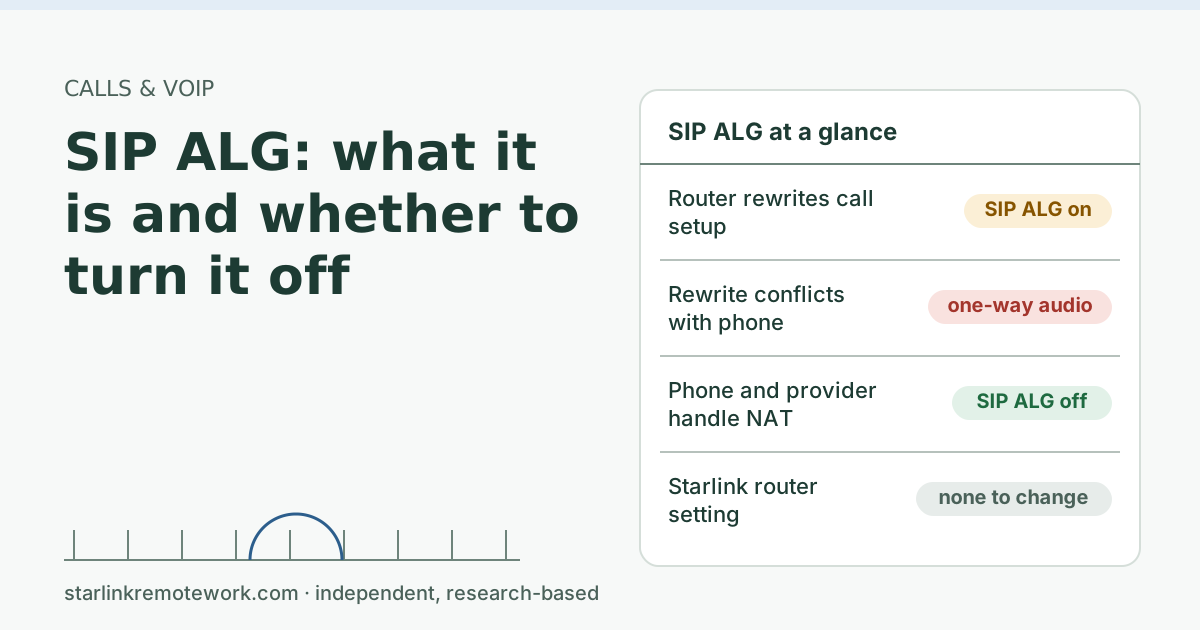
- SIP ALG is a router helper that rewrites the addresses inside VoIP call setup messages. When it guesses wrong, calls get one-way audio, fail to ring or drop.
- The IETF’s NAT behavior rules say ALGs for UDP-based protocols should be turned off, and its SIP NAT guide says ALGs can harm SIP. Most hosted VoIP services ask you to disable it.
- The Starlink router has no SIP ALG or firewall settings to change. The setting matters on a router you own, placed behind or instead of it.
- Change one thing at a time, then test calls both ways, on hold, and inbound. If calls get worse, turn it back on: a few older setups rely on it.
On this page
- What SIP ALG does
- Why it breaks calls more often than it helps
- Signs SIP ALG is the culprit
- Why an ALG can’t fix NAT behind Starlink anyway
- Where it matters on a Starlink setup
- How to turn it off safely
- When to leave it on
- What SIP ALG doesn’t affect
- Common mistakes
- What we don’t know
- What to do next
- Questions people ask
- Sources
SIP ALG is a router feature that rewrites the addresses inside VoIP call setup messages, and for most hosted VoIP services you should turn it off. It was built to help phones work behind NAT, but modern phones and providers already handle that, and a router rewriting the messages a second time often causes one-way audio, calls that don’t ring, or calls that drop. On Starlink the setting only exists on a router you own: the Starlink router has no SIP ALG or firewall controls.
What SIP ALG does
VoIP calls are set up with SIP (Session Initiation Protocol). Unlike most internet traffic, SIP messages carry IP addresses and ports inside them. They say, in effect, “send replies here” and “send my caller’s voice to this address and port.” Behind NAT, those inside addresses are private and useless to the outside world.
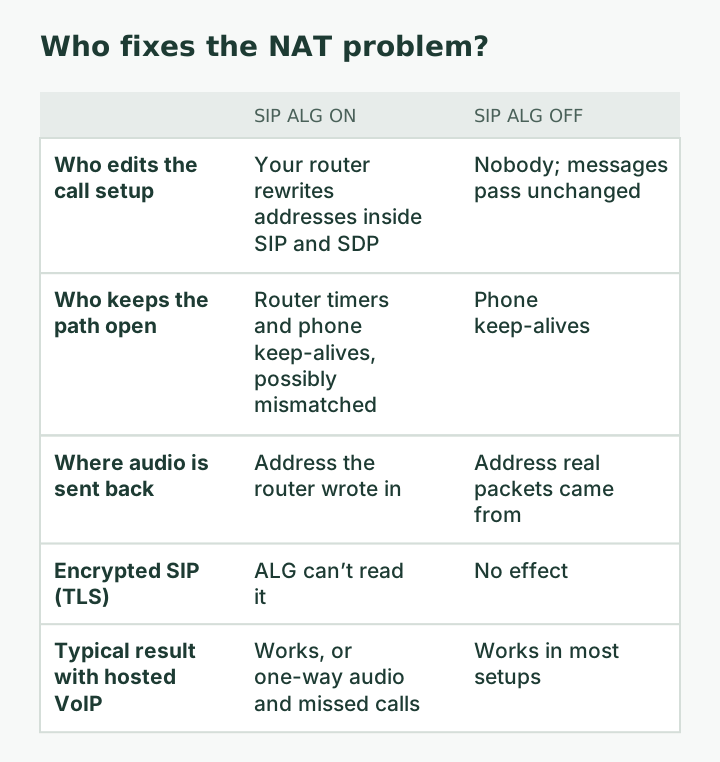
An ALG (Application Layer Gateway) is a piece of router software that reads a specific protocol’s messages as they pass and edits them. A SIP ALG looks for private addresses in SIP and SDP (the part that describes the voice stream) and swaps in the router’s public address and a port it has opened. When it works, a dumb phone behind a simple router can make calls without any special setup.
Why it breaks calls more often than it helps
The trouble is that VoIP providers and phones learned to solve NAT themselves years ago. A phone sends regular keep-alives to hold its path open, and the provider’s server notes the public address and port your packets actually arrive from and sends audio back there. When a SIP ALG rewrites the messages too, the two fixes can collide:
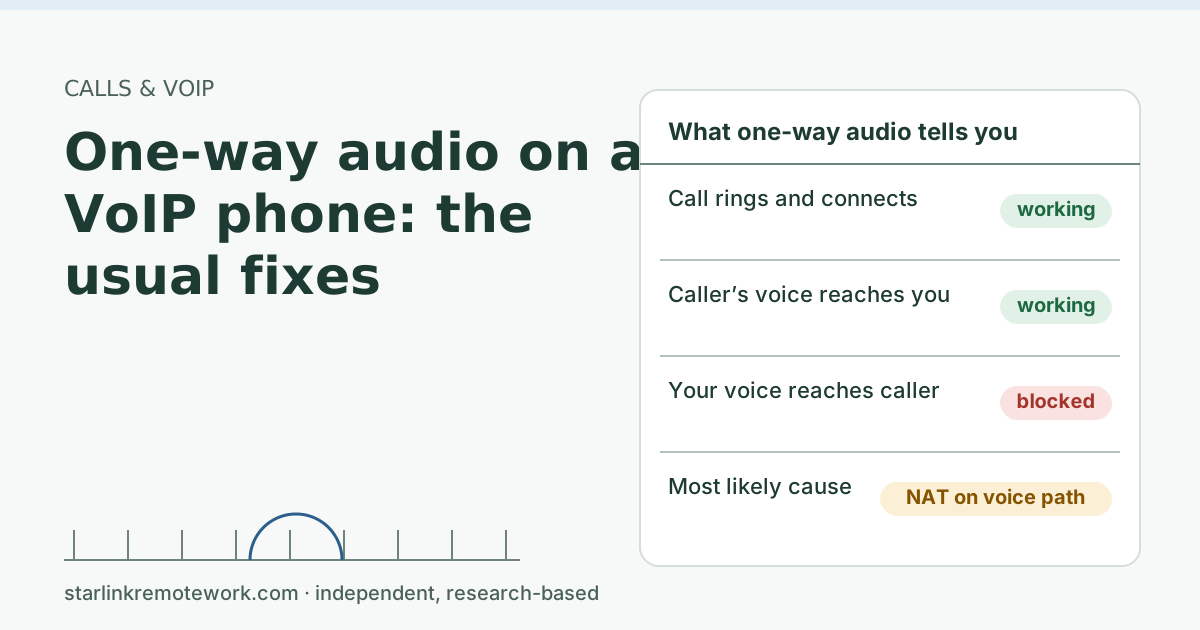
- Wrong rewrite. The ALG changes the address in the voice description but opens a different port than the one the voice stream uses, or rewrites an address the provider was already correcting. Result: one-way audio.
- Mismatched state. The ALG keeps its own idea of the call’s timers. If its timers expire before the phone’s, inbound calls stop ringing or calls drop at a fixed minute.
- Can’t read encrypted SIP. Many providers now send SIP over TLS. An ALG can’t read or fix encrypted messages, so it either does nothing or interferes with the connection.
The standards bodies agree. The IETF’s NAT behavior rules (RFC 4787) state that “NAT ALGs for UDP-based protocols SHOULD be turned off,” and the IETF’s SIP NAT practices document (RFC 6314) says “ALGs have limitations” and that “experience shows they can have an adverse impact on the functionality of SIP.”
Signs SIP ALG is the culprit
No single symptom proves it, but these patterns point at an ALG more than at the line itself:
- The problem is all-or-nothing. Audio is either perfect or completely missing in one direction, rather than choppy. Rewriting errors break the path; line trouble degrades it.
- It started after a router change, a firmware update, or adding your own router behind the Starlink one.
- Inbound calls fail but outbound calls work. The ALG’s idea of your registration can expire before the phone’s does.
- Calls drop at the same minute every time, for example right around 15 or 30 minutes. That smells like a timer the ALG keeps for the call.
- Another device on a different network works fine. The same softphone on a phone hotspot works, which takes your router out of the chain.
If several of these fit, the test below is worth the five minutes.
Why an ALG can’t fix NAT behind Starlink anyway
There is a Starlink-specific reason the helper is even less useful here. Picture a VoIP adapter at 192.168.1.50 behind your own router. When it sets up a call, its SIP message and voice description say, in effect, “send my audio to 192.168.1.50, port 16384.”
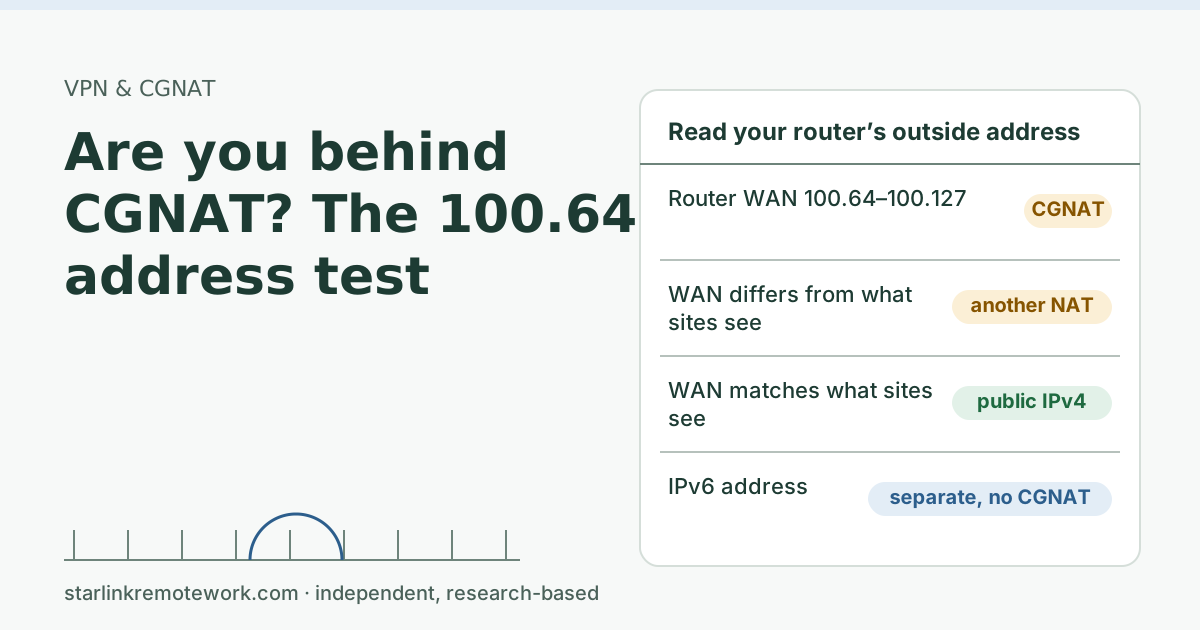
A SIP ALG on your router replaces that with your router’s outside address. On a cable connection, that outside address would be a real public IP, so the rewrite at least points somewhere reachable. On Starlink Residential, your router’s outside address is not public: By default, Starlink IPv4 uses carrier-grade NAT (CGNAT) with private addresses from 100.64.0.0/10. So the ALG swaps one private address for another one that the internet still can’t reach. Starlink’s CGNAT then translates the packets again, and it does not rewrite the SIP contents.
In other words, the ALG’s edit is wrong by design on this connection, while the provider’s own method (send audio back to wherever the packets actually came from) works through any number of NAT layers. That is the strongest argument for turning it off on a router behind Starlink.
Where it matters on a Starlink setup
There are three common layouts, and SIP ALG matters in only some of them:
| Your setup | Who does NAT at home | Where SIP ALG lives | What to do |
|---|---|---|---|
| VoIP adapter plugged into the Starlink router | Starlink router, then Starlink’s CGNAT | Nowhere you can reach | Nothing to change; use the adapter’s NAT and keep-alive settings |
| Your own router behind the Starlink router (not in bypass) | Your router, Starlink router, CGNAT | Your router | Turn it off on your router; consider bypass mode to drop one NAT layer |
| Your own router with the Starlink router in bypass mode | Your router, then CGNAT | Your router | Turn it off on your router |
The Starlink router itself offers no controls here: Starlink Wi-Fi routers do not support port forwarding or firewall rules for IPv4 or IPv6. And upstream, every Residential connection sits behind carrier-grade NAT: By default, Starlink IPv4 uses carrier-grade NAT (CGNAT) with private addresses from 100.64.0.0/10. That upstream layer is out of your hands, which makes it more important that the layers you control don’t add surprises.
How to turn it off safely
- Write down your current settings (take a photo of the router page). You may want to turn it back on.
- Find the setting. Names vary: SIP ALG, SIP helper, SIP passthrough, VoIP ALG, or a protocol list under “ALG” or “NAT helpers.” Look in NAT, firewall, WAN, security or advanced menus. Some business routers only expose it on a command line. Your router maker’s support pages are the authority for your model.
- Turn it off and save. Some routers need a reboot for the change to take effect.
- Reboot the VoIP adapter or phone so it registers fresh and opens new paths.
- Run the test calls below.
The test calls
Do all five, because each one exercises a different path:
| Test | What it checks | Pass looks like |
|---|---|---|
| Call out to a cell phone, talk 1 minute | Outbound setup and both voice directions | Both sides hear each other from the first second |
| Call in from a cell phone | Registration and inbound path | Phone rings every time |
| Call out and wait on hold 5+ minutes | Timers and idle paths | Audio returns after hold, both ways |
| Call out, stay 20+ minutes | Session refresh timers | No drop at a fixed minute |
| Repeat the next morning | Registration survives overnight | Inbound still rings |
When to leave it on
General advice is “off,” but there are exceptions:
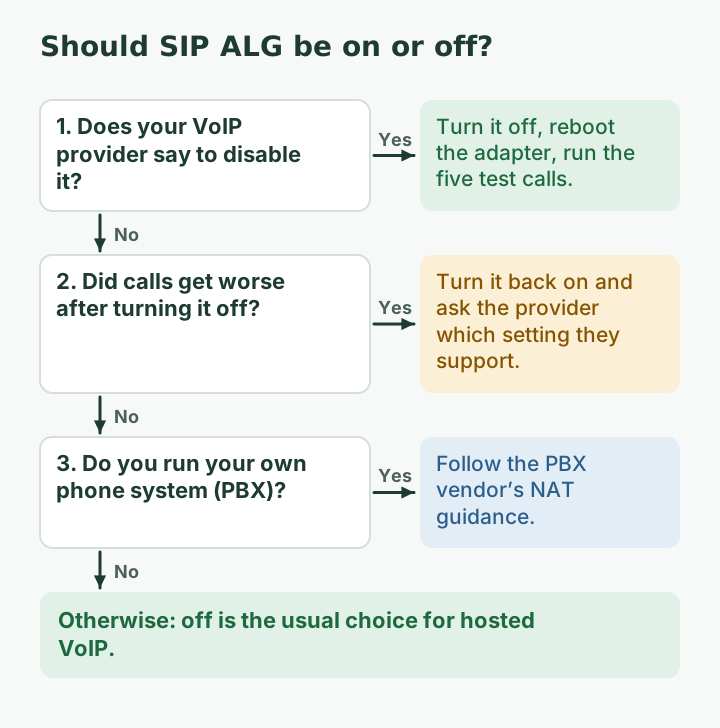
- Your provider tells you to leave it on. A few older services or very basic phones depend on the router fixing their addresses. If calls get worse after you turn it off, turn it back on and ask the provider.
- You run your own phone system (PBX) with a vendor that has its own NAT guidance. Follow the vendor.
- It’s a business router with a well-maintained SIP feature that your IT person configured on purpose. Ask them before changing it.
What SIP ALG doesn’t affect
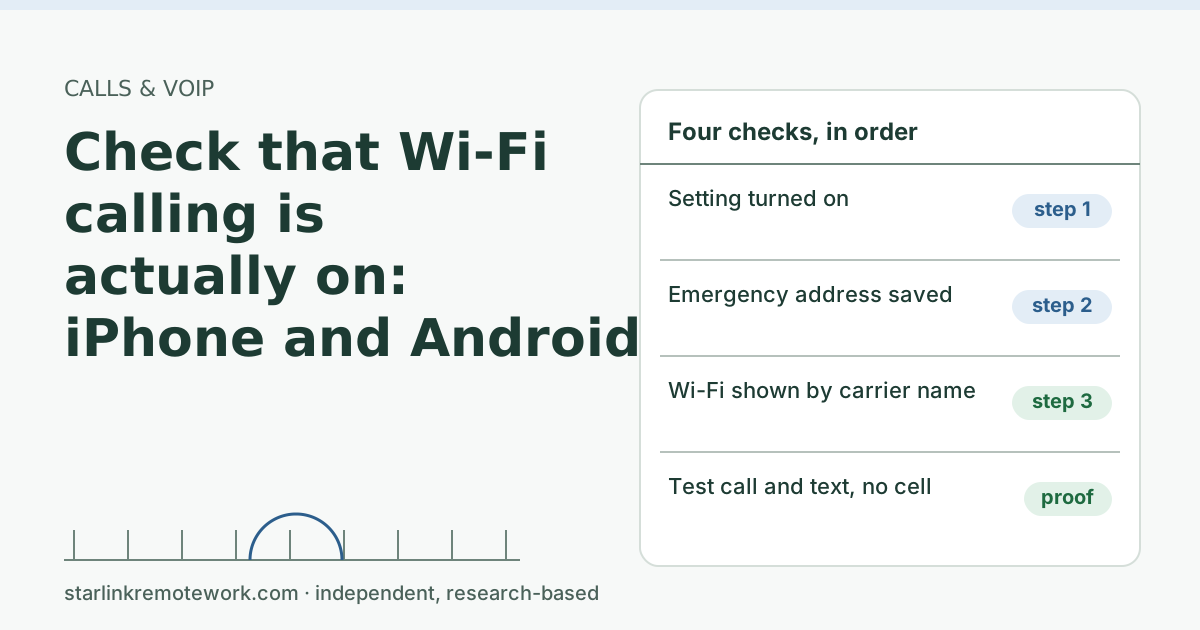
- Carrier Wi-Fi calling on your cell phone. Wi-Fi calling runs inside an encrypted IPsec tunnel to the carrier. AT&T’s own network requirements for Wi-Fi calling list IPsec pass-through and UDP ports 500 and 4500, not SIP settings. If Wi-Fi calling is the problem, see check that Wi-Fi calling is actually on.
- App calls (WhatsApp, FaceTime, Teams, Zoom). These use their own protocols and relay servers.
- Starlink’s CGNAT. Turning off your router’s ALG doesn’t give you inbound ports. That needs a public IP, which Starlink offers only on some plans: A public IPv4 is optional and only available on Local Priority and Global Priority plans.
Common mistakes
- Forwarding ports for SIP at the same time. Behind CGNAT, port forwarding on your router does nothing for inbound traffic from the internet.
- Changing five settings at once. If calls improve or break, you won’t know why. One change, then the test calls.
- Assuming the Starlink router has a hidden ALG setting. It doesn’t expose one; don’t factory reset it hunting for it.
- Blaming ALG for choppy audio. Choppiness is loss or jitter on the line, not address rewriting. Check with a ping test instead; Starlink’s VoIP guidance says to note latency over 200 ms or loss in a 30-second test.
What we don’t know
We can’t list the setting’s location for every router model, and router makers move menus between firmware versions. We also don’t know whether Starlink’s own network equipment does anything special with SIP; Starlink hasn’t published that, so we don’t assume it.
What to do next
- If you have one-way audio, follow the full fix order in one-way audio on a VoIP phone.
- If you’re unsure whether you’re behind CGNAT, do the 100.64 address test.
- For phones that must work during outages, plan a second path with the Failover Builder, and read our VoIP and Wi-Fi calling guide and the CGNAT guide.
Questions people ask
What does SIP ALG do?
It watches VoIP signaling (SIP) passing through the router and rewrites the private IP addresses and ports inside those messages to public ones, trying to help calls work through NAT.
Should I turn off SIP ALG on my router?
For hosted VoIP services, usually yes. Modern phones and providers handle NAT themselves, and a second party rewriting the messages often breaks them. Test calls afterward and turn it back on if things get worse.
Does the Starlink router have SIP ALG?
The Starlink router has no user setting for it: Starlink says its Wi-Fi routers don’t support port forwarding or firewall rules. If you need to control SIP ALG, it is on a router you add yourself.
Where is the SIP ALG setting on my router?
It varies by brand. Look under NAT, firewall, WAN, security or advanced settings for names like SIP ALG, SIP helper, SIP passthrough or VoIP ALG. Some routers only expose it in a command line; your router maker’s support pages are the authority.
Can SIP ALG cause one-way audio?
Yes. If it rewrites the media address in the call setup incorrectly, the far end sends your audio to a place it can’t reach, so you hear them but they can’t hear you, or the reverse.
Does SIP ALG matter for Wi-Fi calling on my cell phone?
Usually not. Carrier Wi-Fi calling runs inside an encrypted IPsec tunnel to the carrier, so a SIP ALG can’t see the SIP messages. Wi-Fi calling problems have other causes, like blocked IPsec ports or IP location.
Sources
- What IP address does Starlink provide? (Starlink support), checked Oct 5, 2026
- Additional FAQs - Troubleshooting (VoIP and WiFi Calling Issues) (Starlink support), checked Oct 5, 2026
- IETF RFC 4787: NAT Behavioral Requirements for Unicast UDP (ALG guidance), retrieved Oct 6, 2026
- IETF RFC 6314: NAT Traversal Practices for Client-Server SIP, retrieved Oct 6, 2026
- IETF RFC 3261: SIP: Session Initiation Protocol, retrieved Oct 6, 2026
- AT&T Support: Wi-Fi Calling LAN and VPN configuration (IPsec, UDP 500 and 4500), retrieved Oct 6, 2026
Research-based: written from vendor documentation, Starlink support pages and standards, not from our own measurements. Starlink rules and prices on this page come from our dated fact file and show the day they were checked; they change, so confirm before you rely on one.Links to Starlink’s plan pages here use the site owner’s own referral link; the owner may get a referral reward and your price is the same. No affiliate links (how we make money). General information, not professional IT, legal or medical advice. Independent · not affiliated with SpaceX or Starlink. Spotted an error? Tell us.