Key takeaways
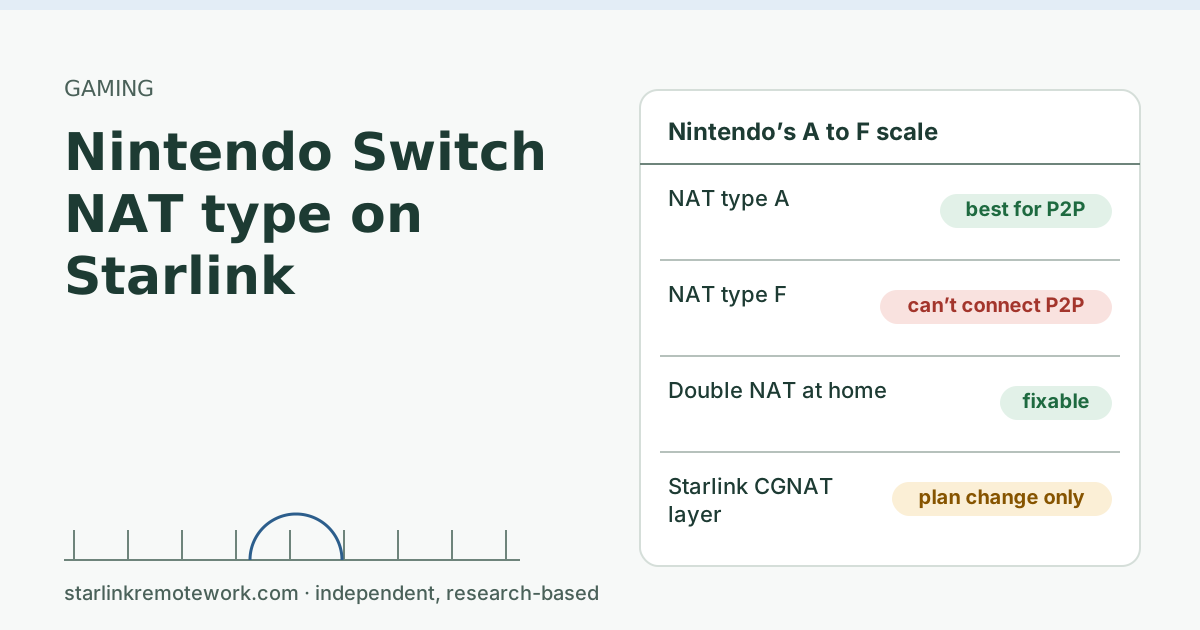
- Nintendo’s NAT type runs from A (best for peer-to-peer communication) to F (unable to complete peer-to-peer communication). Check it in System Settings, Internet, Test Connection.
- Starlink Residential IPv4 is behind carrier-grade NAT, and The default CGNAT policy blocks all inbound connections (no inbound ports). That limits peer-to-peer play, and no setting on your router can lift it.
- What you can fix: double NAT at home (bypass mode on the Starlink router), and a busy or misconfigured router of your own. Port forwarding won’t work behind CGNAT.
- Many online games use servers and don’t care much about NAT type. The grade matters most for games that connect players directly.
On this page
- What Nintendo’s NAT types mean
- Why Starlink pushes the grade down
- What you can change at home
- Does the grade matter for your games?
- When a friend can’t join you
- Edge cases
- Is a Priority plan worth it for gaming?
- Starlink and gaming beyond NAT
- Common mistakes
- What we don’t know
- What to do next
- Questions people ask
- Sources
A Nintendo Switch on Starlink often shows a weaker NAT type because Starlink’s Residential IPv4 connection sits behind carrier-grade NAT, which blocks all inbound connections. Nintendo grades NAT type from A (best for playing directly with other players) to F (can’t connect directly at all). You can’t remove Starlink’s NAT layer on a Residential plan, but you can remove extra layers at home (double NAT) and make sure your own router isn’t making it worse. For many games, which run through servers, the grade matters less than people fear.
What Nintendo’s NAT types mean
Nintendo’s connection test reports NAT type as “the results of a NAT test for the network you are connecting to,” which “will range from A (best for peer-to-peer communication) to F (unable to complete peer-to-peer communication).”
That support page doesn’t define B, C, D and E individually, and we won’t invent definitions for them. The practical reading is a scale: the further from A, the more trouble the Switch has connecting directly to other players’ consoles, especially players whose own NAT is also strict.
How to check: on the Switch, go to System Settings, then Internet, then Test Connection. The NAT type appears in the results.
For comparison, Microsoft defines Xbox NAT types more precisely: Xbox Open NAT can connect with any console, whatever its NAT setting. Xbox Moderate NAT connects only with Moderate or Open consoles. Xbox Strict NAT connects only with Open-NAT consoles. Nintendo’s letters are a similar idea on a finer scale. Our console NAT type guide covers Xbox and PS5 in detail.
Why Starlink pushes the grade down
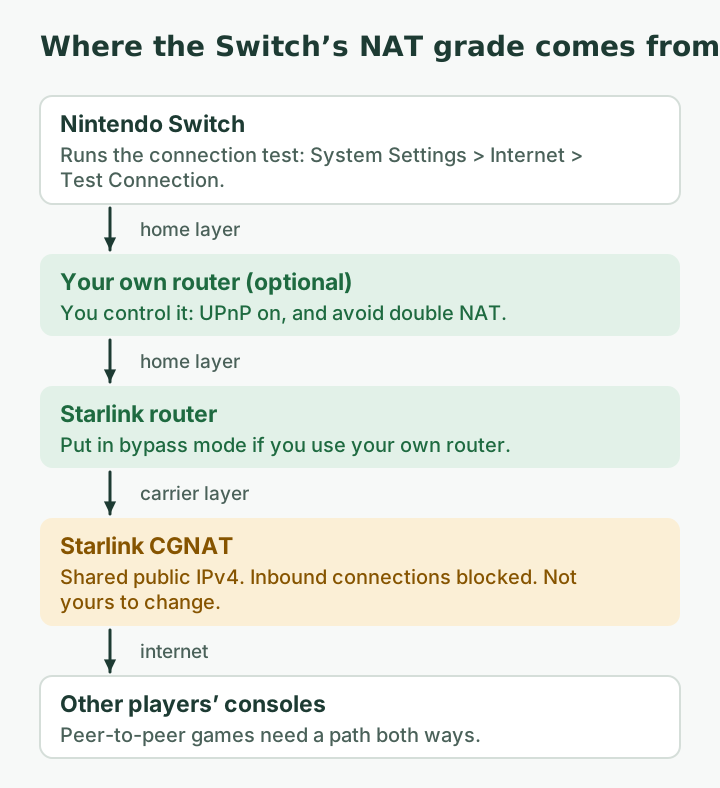
Peer-to-peer games need consoles to reach each other. Behind any NAT that is harder, and behind carrier-grade NAT it is harder still:
- By default, Starlink IPv4 uses carrier-grade NAT (CGNAT) with private addresses from 100.64.0.0/10.
- The default CGNAT policy blocks all inbound connections (no inbound ports).
- The Starlink router cannot port forward; you need a third-party router plus a Public IP on your plan.
- A public IPv4 is optional and only available on Local Priority and Global Priority plans.
Games work around NAT by having both consoles send packets outward at the same time, so each NAT opens a path. Whether that works depends on how each NAT layer maps ports. The IETF’s NAT rules require “Endpoint-Independent Mapping” precisely because it keeps these tricks working; NATs that behave differently push consoles toward relays or failure. We don’t know exactly how Starlink’s CGNAT behaves on this point, and Starlink doesn’t publish it, so we can’t promise which letter you will see.
What you can change at home
| Situation | Likely effect on NAT type | What to do |
|---|---|---|
| Your own router behind the Starlink router (double NAT) | An extra layer; grade may drop further | Put the Starlink router in bypass mode, so only one home router translates |
| Your own router with UPnP turned off | Your layer is stricter than it needs to be | Turn on UPnP on your router (for your layer only) |
| A busy router or mesh with many devices | Can affect connection tests | Restart your own router; retest |
| Only the Starlink router | Home layer is as simple as it gets | Nothing more to change at home |
| Need a reliably open NAT for hosting | CGNAT is the limit | Only a public IP changes this, which means a Priority plan |
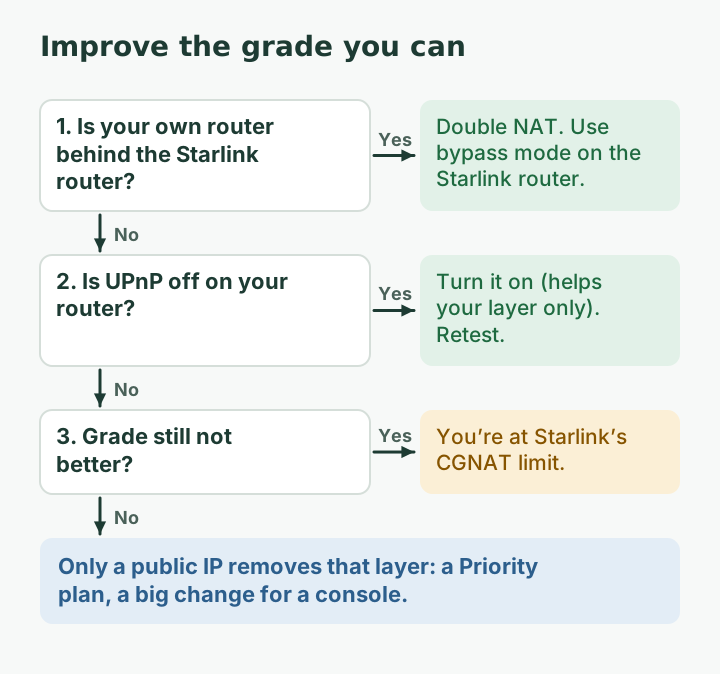
Steps, in order:
- Run the test and write down the letter.
- If you use your own router, check whether the Starlink router is in bypass mode. Bypass mode (Starlink app > Settings) turns off the Starlink router's Wi-Fi so a third-party router can connect; exit by factory reset. If not, you have double NAT. Router setup is outside this article; your router maker’s guide covers it.
- On your own router, turn on UPnP if it is off. It helps your layer open paths automatically; it doesn’t affect Starlink’s layer.
- Retest. If the letter improved, you removed a home layer. If not, the remaining limit is the carrier NAT.
Things that don’t help NAT type: port forwarding behind CGNAT, a DMZ on your router, a wired adapter (good for stability, not for NAT), and changing DNS servers.
Does the grade matter for your games?
It depends on how the game connects players:
- Server-based games send everyone’s traffic through the game company’s servers. NAT type matters little; latency and stability matter more.
- Peer-to-peer games and features connect consoles directly, and a weaker grade can mean failed matches, being unable to join some friends, or trouble hosting a room.
- Voice chat in apps may use its own servers or direct connections, depending on the app.
If a specific game says your NAT type is the problem, the game’s own support page is the best guide for that title.
A worked example
Suppose your test shows a weaker grade with your own mesh router behind the Starlink router. You put the Starlink router in bypass mode, turn on UPnP on the mesh, and retest: the grade improves by a step. That gain came from removing one home NAT layer. Further gains would need the carrier layer gone, which on Starlink means a public IP on a Priority plan, a big change for a game console. (This is a hypothetical sequence, not a test we ran.)
When a friend can’t join you
The most common real-world complaint isn’t the letter; it’s “my cousin can’t get into my game.” A few things to try, in order:
- Let the friend host if the game allows it. If their connection has a better NAT grade, the match may work with them as host when it fails with you.
- Check both grades. Peer-to-peer trouble usually needs both sides to be strict. If your friend is also behind carrier NAT (many cellular home internet services use it too), neither of you may be able to host.
- Use the game’s server-based modes where offered, which don’t depend on NAT.
- Try at another time. Matching that relies on hole-punching can succeed one try and fail the next.
Edge cases
- Two consoles in one house. Two Switches (or a Switch and an Xbox) behind the same NAT can compete for the same mapping tricks. Test each alone.
- Handheld mode on a phone hotspot. A quick test on a hotspot shows whether a game’s trouble is your home setup or the game. Mobile carriers often use carrier NAT too, so a similar grade there is normal.
- Mesh systems. Some mesh systems act as routers by default, creating double NAT behind the Starlink router. Check whether yours is in router mode or access-point mode.
- Grade changes day to day. Small changes in how the NAT layers behave can move the result. Test a few times before changing anything.
Is a Priority plan worth it for gaming?
Rarely. A public IPv4 removes the carrier layer and should allow a much better grade with your own router, but it means a business-oriented plan sold by data amount. It also isn’t static. Starlink does not offer static IPs; addresses can change (relocation, software updates, network changes). For most families, playing server-based modes and letting friends host is the practical answer.
Starlink and gaming beyond NAT
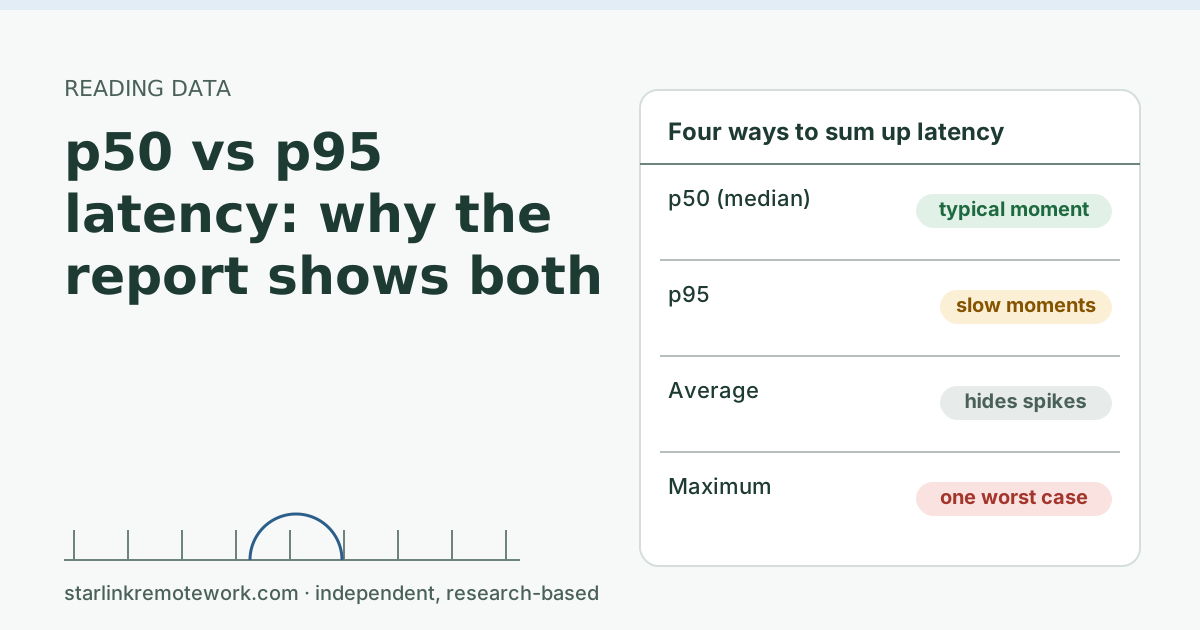
NAT type is only one part of how online play feels. Latency and its spikes matter more for fast games. Starlink reports a US median peak-hour latency of 25.7 ms, and says fewer than 1% of US measurements exceed 55 ms; those are Starlink’s own network-wide figures, not ours. For casual and co-op games that is usually fine. For competitive shooters, satellite isn’t the right tool: see is Starlink good for gaming for the honest verdict, and p50 vs p95 latency for why spikes matter more than averages.
Common mistakes
- Forwarding ports on your router. Behind CGNAT it does nothing for inbound traffic from the internet.
- Putting the Switch in the DMZ. Same problem, and it weakens your router’s protection for that device.
- Factory resetting everything to chase a better letter. If the limit is the carrier NAT, resets won’t move it.
- Blaming NAT type for lag. NAT type affects whether you can connect directly, not how fast packets travel.
What we don’t know
We haven’t run Nintendo’s connection test on a Starlink line, and Starlink doesn’t publish how its CGNAT maps ports, so we can’t tell you which letter to expect. Nintendo’s page doesn’t define B to E individually. IPv6 doesn’t help the Switch’s NAT type unless the console and game use it, and we couldn’t confirm that they do. The Work-Day Reliability Report grades evening latency for gaming on one logged connection once it has data; it doesn’t test NAT types.
What to do next
- Run the test, remove double NAT, turn on UPnP on your router, and retest.
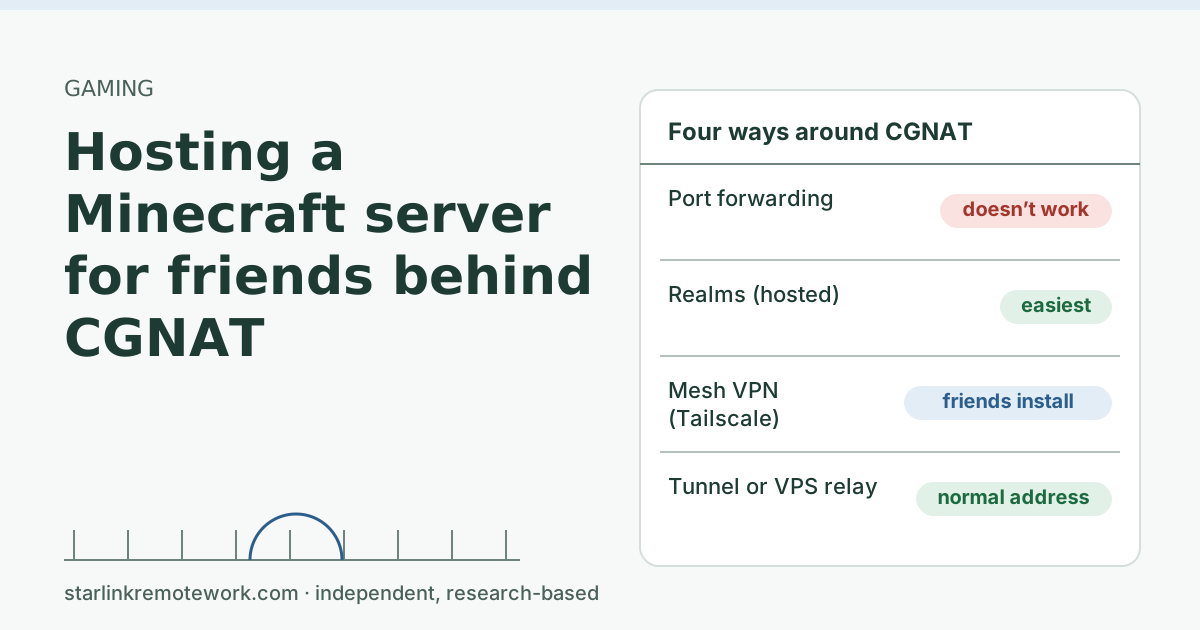
- For hosting your own game server, see hosting a Minecraft server behind CGNAT.
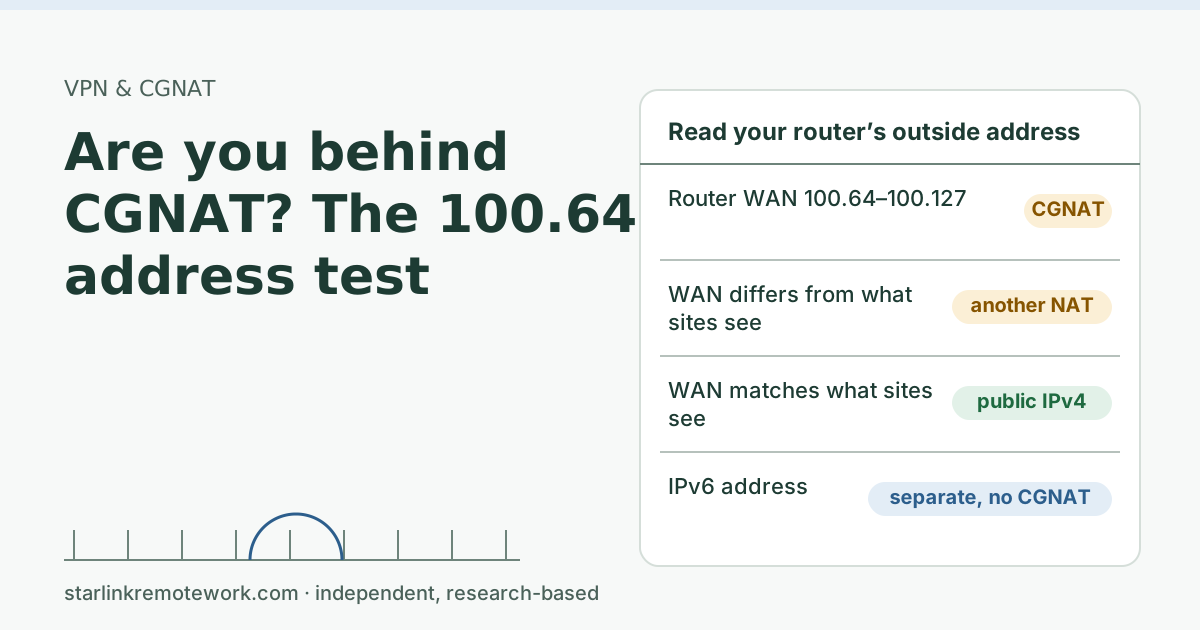
- To confirm you are behind CGNAT, do the 100.64 address test, and read the CGNAT guide.
Questions people ask
What NAT type does a Nintendo Switch get on Starlink?
It varies, and we haven’t tested it. Behind Starlink’s carrier-grade NAT, inbound connections are blocked, so expect a grade below A. The exact letter depends on how each NAT layer behaves, including your own router.
How do I check NAT type on Nintendo Switch?
Go to System Settings, then Internet, then Test Connection. The NAT type shows in the results, on a scale from A to F.
What do Nintendo’s NAT types mean?
Nintendo describes the range as A, best for peer-to-peer communication, through F, unable to complete peer-to-peer communication. The support page we read doesn’t define B through E individually.
Can I fix Switch NAT type on Starlink with port forwarding?
No. Starlink says its router can’t port forward and that you need a third-party router plus a public IP. On Residential, the public IPv4 isn’t available; it’s offered only on Priority plans.
Does a wired connection improve Switch NAT type?
No. A wired adapter can make the connection steadier, which helps gameplay, but NAT type depends on address translation, not on Wi-Fi versus cable.
Is Starlink good for Switch online play?
For many games, yes, especially ones that use servers. Games that connect players directly may have trouble matching with some players. For fast competitive games, satellite latency is a bigger factor than NAT type.
Sources
- Microsoft GDK – XblNetworkAddressTranslationSetting, checked Oct 5, 2026
- What IP address does Starlink provide? (Starlink support), checked Oct 5, 2026
- IP Address (Starlink support), checked Oct 5, 2026
- Can I port forward with the Starlink router? (Starlink support), checked Oct 5, 2026
- What is bypass mode? (Starlink support), checked Oct 5, 2026
- Starlink network update (starlink.com/updates/network-update; text read from page bundle), checked Oct 5, 2026
- Nintendo Support: Connection test results (NAT type A to F), retrieved Oct 6, 2026
- IETF RFC 4787: NAT Behavioral Requirements for Unicast UDP (endpoint-independent mapping), retrieved Oct 6, 2026
Research-based: written from vendor documentation, Starlink support pages and standards, not from our own measurements. Starlink rules and prices on this page come from our dated fact file and show the day they were checked; they change, so confirm before you rely on one.Links to Starlink’s plan pages here use the site owner’s own referral link; the owner may get a referral reward and your price is the same. No affiliate links (how we make money). General information, not professional IT, legal or medical advice. Independent · not affiliated with SpaceX or Starlink. Spotted an error? Tell us.